5-16 A-61550 February 2010
Replacing the lower imaging guide (for all scanner models)
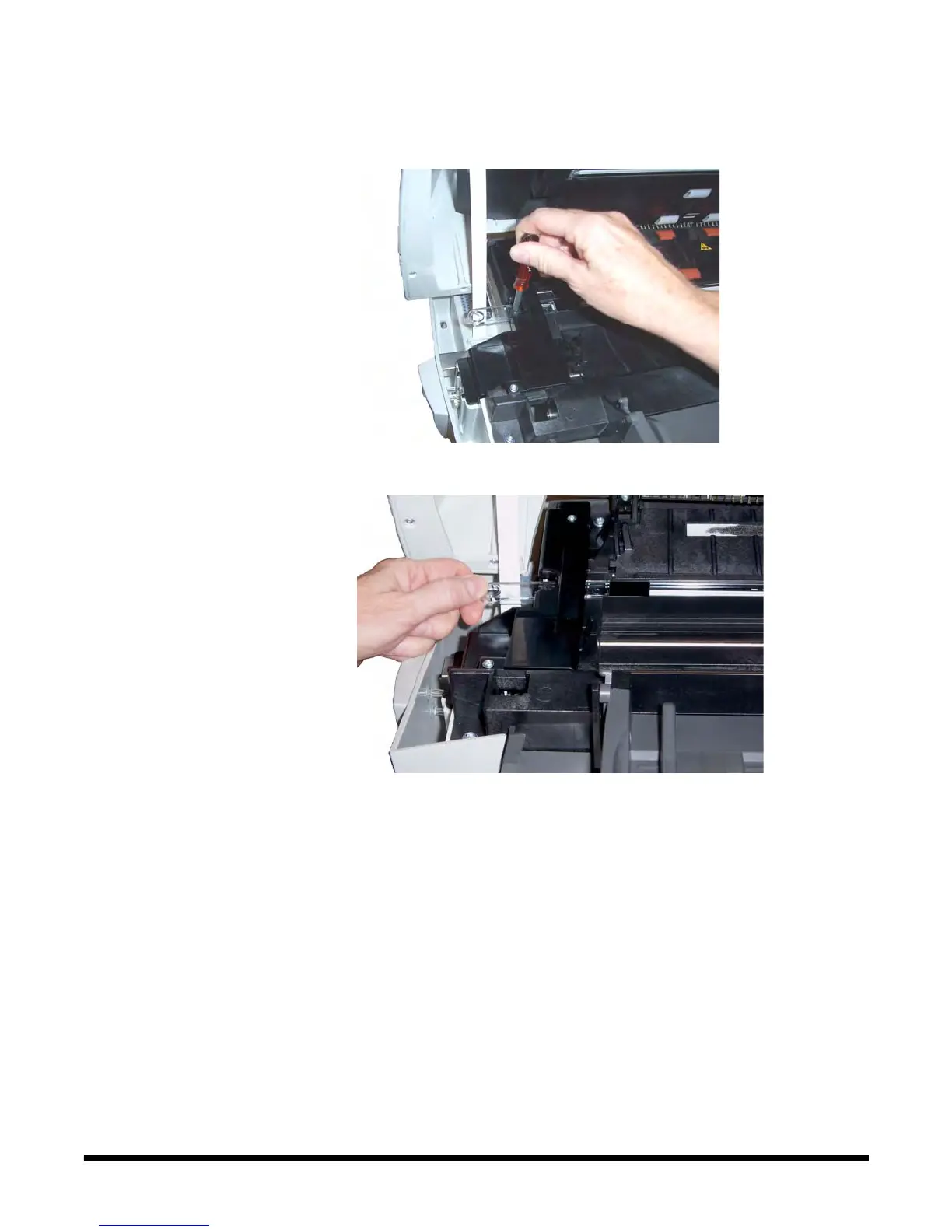
1. Locate the lower imaging guide.
2. Using a Phillips Head screwdriver, loosen the screw from the lower
imaging guide.
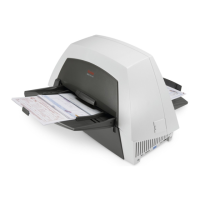
3. Slide the imaging guide out of the bracket and remove it from the
scanner.
4. Discard the used imaging guide.
5. Remove any dust or debris from the guide track. Do not allow debris
to fall into the scanner.
6. Wipe both sides of the new lower imaging guide with a fresh
Staticide Wipe.
7. Dry both sides of the new lower imaging guide with an almost dry
Staticide Wipe.
8. Align the new lower imaging guide in the guide track and slowly
push it in.
9. Realign the lower imaging guide bracket and tighten the screw.
10.Close the scanner cover with both hands; push it down firmly until it
latches into place.


 To Next Page