EasyManua.ls Logo

KODERA CASTING C300A - Page 9

Default Icon
28 pages
Print Icon
To Next Page IconTo Next Page
To Previous Page IconTo Previous Page
Loading...
How to set up the processing condition
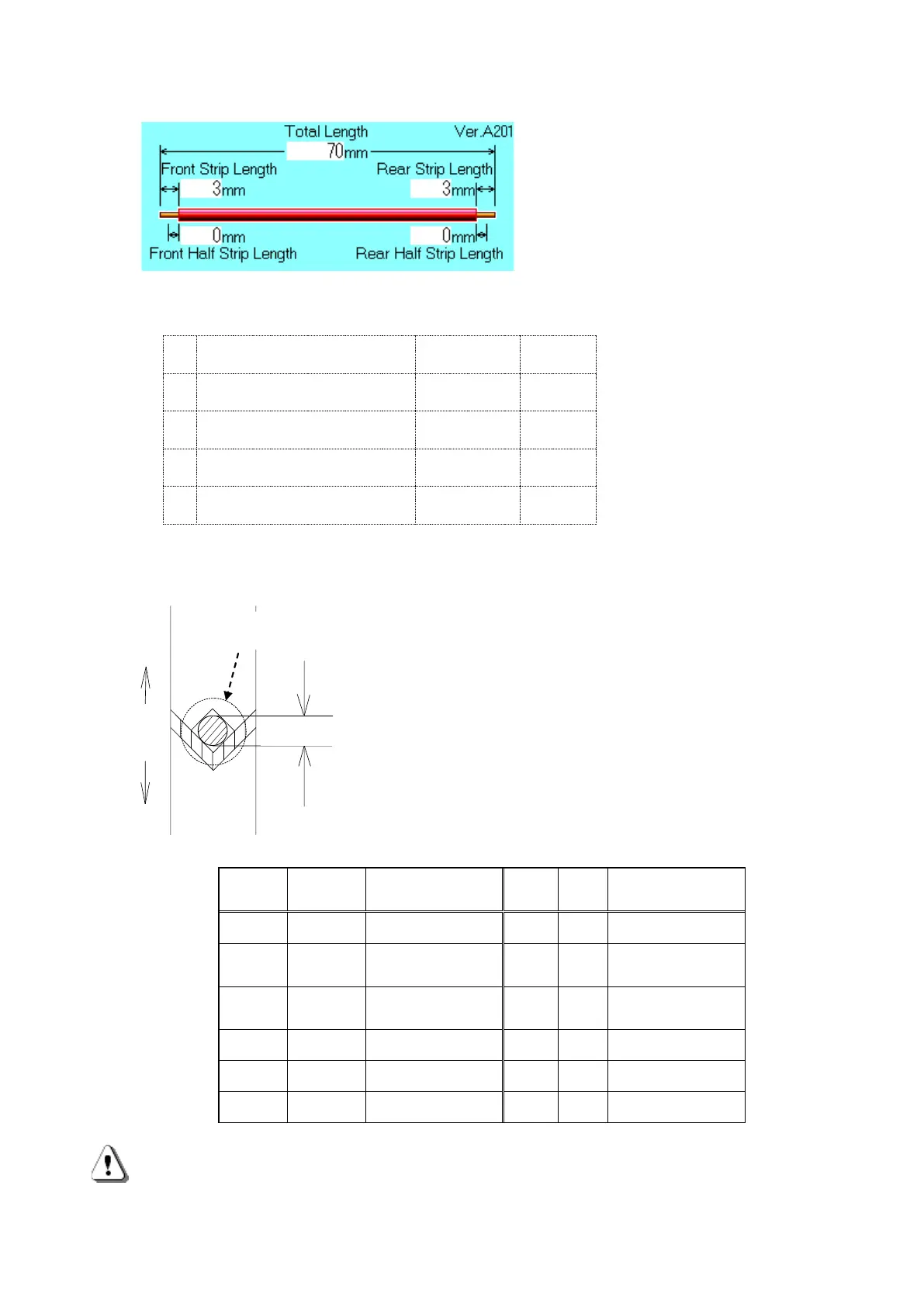
1.The wire of the above picture is to be processed.
Input
Front Strip Length
[3]
[SET]
Front Half Strip Length
[0]
[SET]
Total Length
[7] [0]
[SET]
Rear Strip Length
[5]
[SET]
Rear Half Strip Length
[3]
[SET]
2.Setting of the blade’s depth when stripping
Input the numerical value of the core diameter of the wire
which is to be processed at Core Diameter for the
blade’s depth when stripping.
Input it according to the list below and perform trial
processing.
If the core wire is scratched, increase the numerical value and
if its not stripped, decrease the numerical value to select the
most appropriate value.
The value can be input in a unit of mm.
Rough Indication for Setting
Sq
AWG
Core Diameter
Sq
AW
Core Diameter
0.03
#32
0.20mm
0.5
#20
0.81mm
0.05
#30
0.25mm
0.7
#18
1.02mm
0.08
#28
0.32mm
1.2
#16
1.29mm
0.13
#26
0.40mm
2.0
#14
1.63mm
0.2
#24
0.51mm
3.5
#12
2.05mm
0.3
#22
0.64mm
5.0
#10
2.59mm
This is a rough indication because even if the number of the wire is same, the numerical
value of the Core Diameter may be different depending on the type of the wire to be
processed.

線材
芯線直径
Movable
blades
Wire
Core Diameter
Wire size 0.3sq
Required number 10pieces