38
1. Press the “Material” button (as denoted by 13 on page number 25) to select the filler metal to be
used.
2. Press the “Wire diameter” button (as denoted by 14 on page number 25) to select the diameter of
the wire electrode used.
3. Press the “Shielding gas” button (as denoted by 15 on page number 25) to select the shielding gas
to be used.
4. Press the “Process” button (as denoted by 16 on page number 25) to select the desired welding
process:
MIG/MAG standard synergic welding
MIG/MAG pulsed synergic welding
Or any other process of your choice
IMPORTANT! Under certain circumstances, it may not be possible to change welding
parameters that have been set on the control panel of a system component - such as
remote control or wirefeeder - on the control panel of the power source.
5. Use the “Parameter selection” button (as denoted by 5 on page number 25) by pressing one time
to select the welding parameters to be used to specify the welding power:
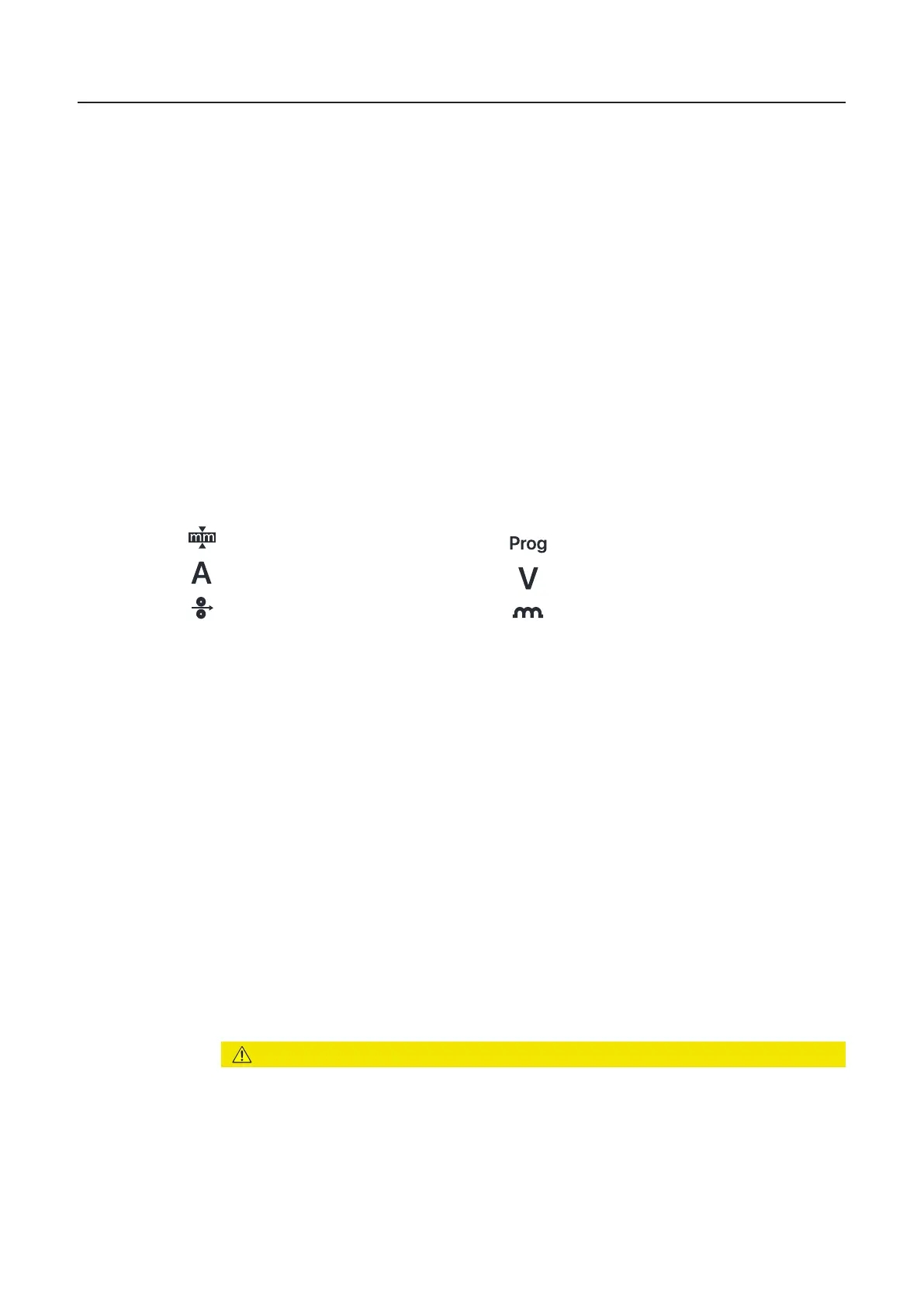
Sheet thickness (denoted by 4 on page 25)
Welding current (denoted by 3 on page 25)
Wire speed (denoted by 2 on page 25)
6. Use the appropriate selection with the help of the above given instructions and rotating the black
knobs to set the welding parameter.
The value of the parameter is displayed on the digital display located on the panel.
The sheet thickness, welding current, wire speed, and welding voltage parameters are
directly linked. It is sufficient to change one of the parameters, as the remaining parameters
are immediately adjusted accordingly
All welding parameter set values remain stored until the next time they are changed. This
applies even if the power source is switched off and on again. To display the actual welding
current during welding, select the welding current parameter.
7. Open the gas cylinder valve
8. Adjust quantity of shielding gas:
- Tap the Gas-test button given inside the wire feeding unit
- Turn the adjusting screw on the bottom of the gas pressure regulator until the
manometer displays the desired quantity of gas
- Tap the Gas-test button again
9. Press the torch trigger and start welding
MIG/MAG Synergic Welding
MIG/MAG
synergic
welding
Memory (denoted by 7 on page 25)
Voltage (denoted by 8 on page 25)
Droplet correction (denoted by 9 on page 25)
CAUTION!
Danger of injury and damage from electric shock and from the wire electrode
emerging from the torch.
When you press the torch trigger:
▶ Keep the welding torch away from your face and body
▶ Wear suitable protective goggles
▶ Do not point the welding torch at people
▶ Make sure that the wire electrode does not touch any conductive or grounded parts
(e.g., housing, etc.)


 To Next Page