5 Game settings
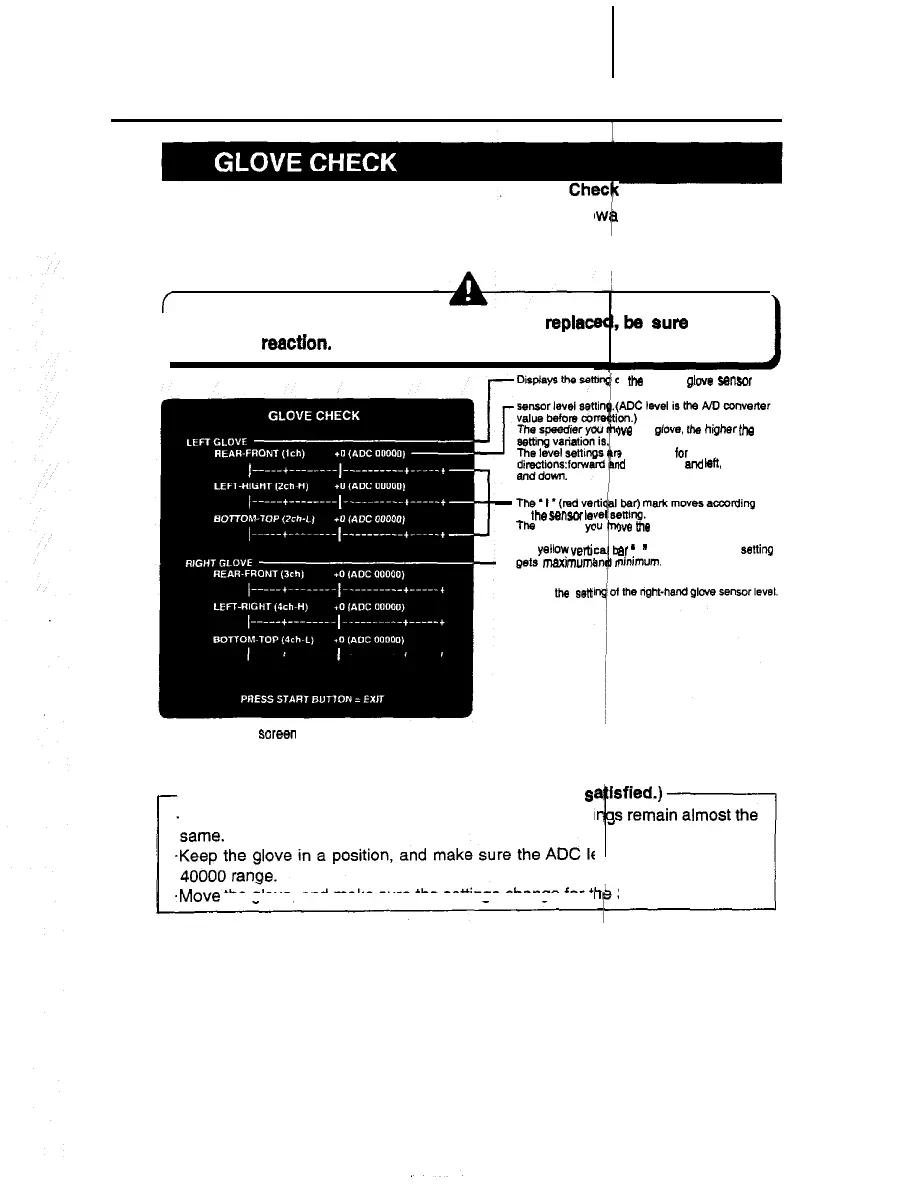
n Mode for checking the glove sensor. Stretch the glove to
the glove sensor performance.
To return to the main menu screen, press the start button
f
*Anytime the glove unit has been repaired or
replace
the glove reactron.
-
The’l*(mdve
to the sensw
lel
Ttw
speedier yc
marking shifts.
The yellow verti
L
gers
maximum
I
Displays llw selt
-This sueen is just an example.
Check points (Make sure the following 3 points are
s
*Keep the glove in a position, and make sure the level setti
.Move the glove, and make sure the settings change for tl
18
ing the glove sensor
rd the screen to check
bs sure to check
1
1 un, left-hand
glove
sa”so,
level.
we the
gtove.
fhe
higher
the
s
displayed for each of the 3
KI
back, right
and
I&, and up
we
the
glove, the wider the
ar
*
I
”
appears when the sating
ninimum.
I is in the 26000 to
3 directions,













 To Next Page