1.12
Getting started
Entering characters
Some settings give you a chance to enter characters; for your TTI, remote fax’s name
or others. To enter letters or other characters, use one-touch keys, numeric keypad
or
CODE
keys.
Using one-touch keys to enter characters
Open the one-touch cover and use the one-
touch keys to enter letters and other
non-numeric characters.
The word “Upper” means the machine will
enter only upper-case letters.
To type a lower-case letter, press
ALPHABET
which is one of the one-touch keys.
The display changes to:
This means pressing one-touch keys will enter lower-case letters.
To switch back for upper-case entries, press
ALPHABET
.
To enter spaces, punctuation and symbols, use the one-touch keys.
Cancelling characters
If you entered an incorrect letter or digit, press
CANCEL
to erase to the left.
To change just one character in name and/or digit, press or to move the cursor
to that character or digit. Then press
CANCEL
to erase it. Re-enter the character or
digit correctly.
Using
CODE
to enter characters
Also, you can use the
CODE
key to enter special characters or symbols.
1
When the machine prompts you to enter a name, press
CODE
.
The
LCD
changes to:
2
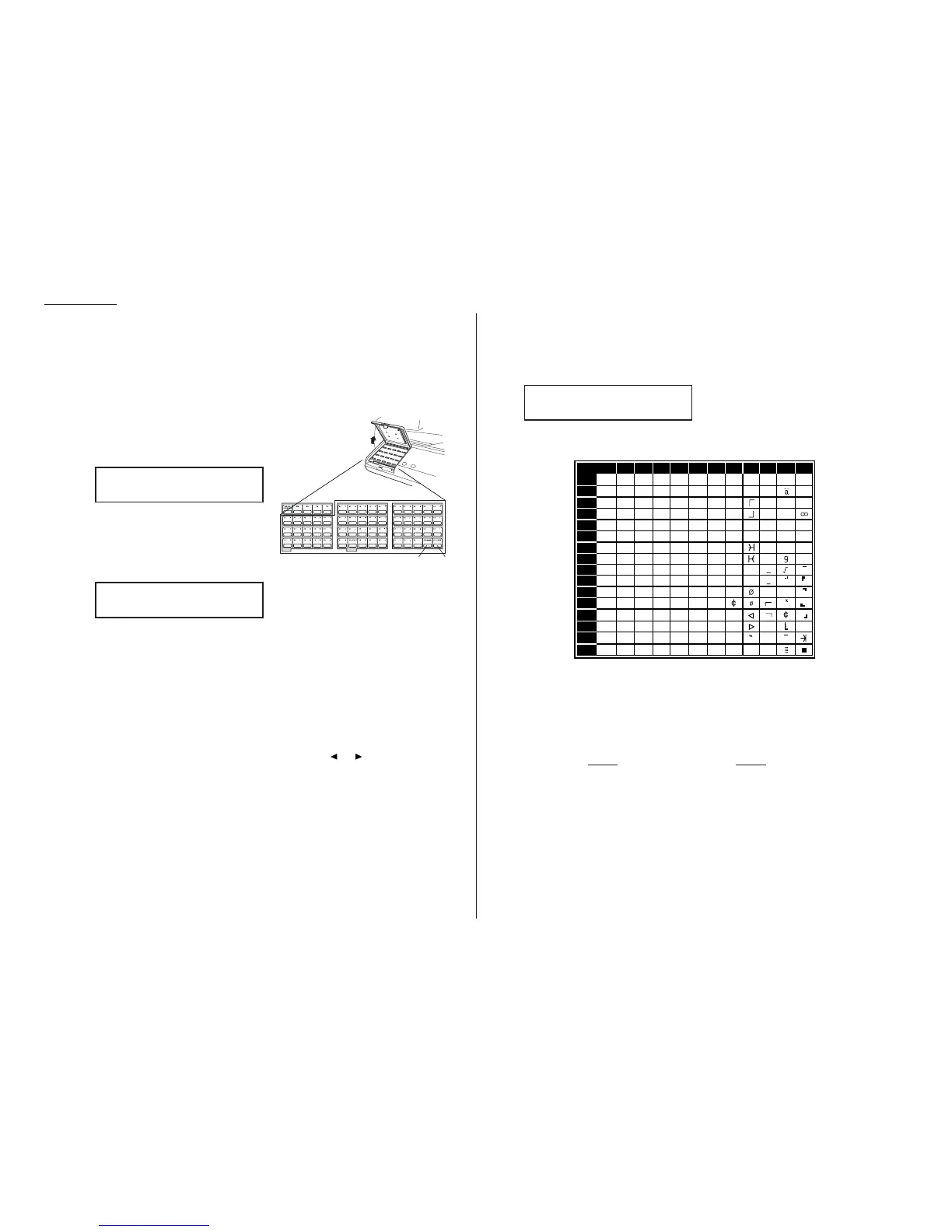
Find the character you want to enter in the chart below.
The legends in the black border indicate which key you press, and in which
order, to get a given character.
For example, to get a back-slash (\) character, you’d press C, 8. (The blank
areas for 2, 0 and C, 0 indicate spaces.)
3
To enter each character, press the key combination listed on the chart.
Important: Remember, there are three ways to enter characters:
Enter Using
Numbers Numeric keypad
Letters/characters One-touch keys
Letters/characters/numbers
CODE
chart for key combinations
4
Press
ENTER
to save the name.










 To Next Page