Getting Started (i-FAX) - (continued)
xv
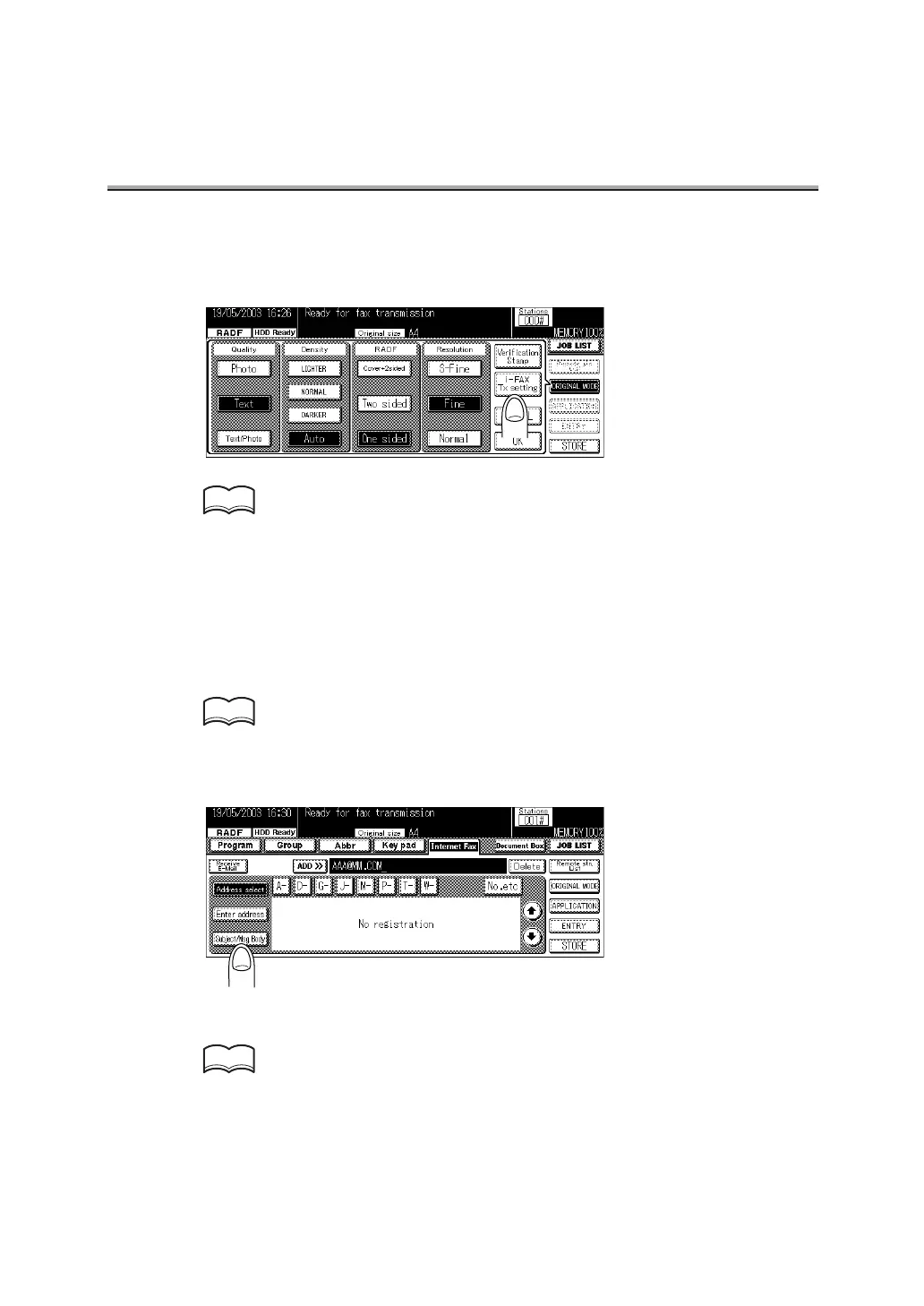
5. Set the required items on the Fax Basic screen and Applica-
tion screen.
• See p.2-23 for the setting of ORIGINAL MODE on the Fax Basic screen.
• See p.10-5 for details on the Application screen.
6. Press OK.
7. Press Internet Fax.
8. Specify the mail address of the remote station.
See p.2-27 for the mail information about entering the addresses.
9. Press Subject/Msg.Body.
10.Specify the subject of the mail.
See p.2-9 for the information about entering the subjects.
HINT
HINT
HINT


 To Next Page