Getting Started (i-FAX) - (continued)
xvi
11. Specify the body of the mail.
See p.2-10 for the information about entering the body.
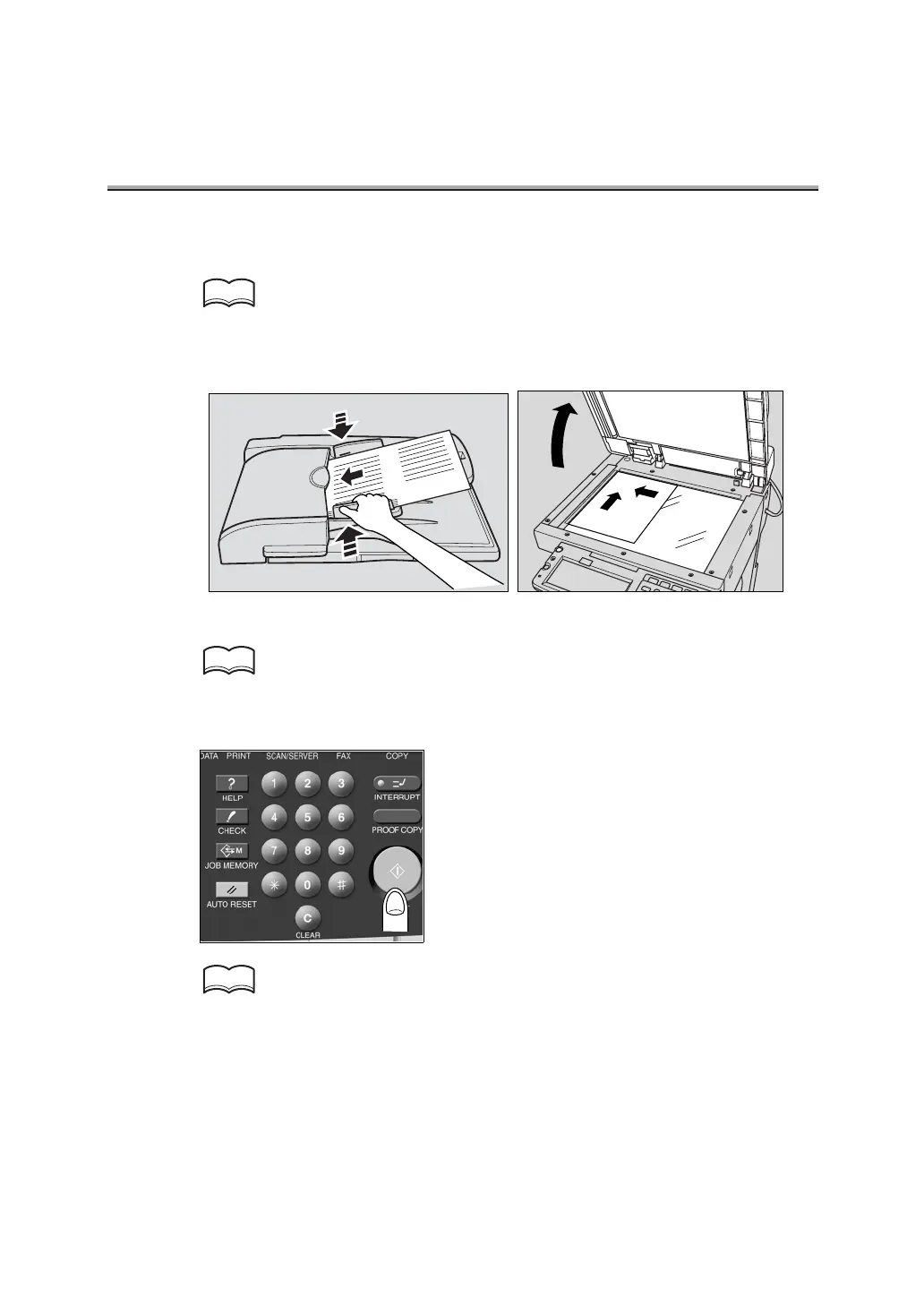
12.Place the original on the machine.
For detail, see "Placing the Original on the Machine" (p. 2-17).
13.Press [START] on the control panel.
See p.4-2 if the original document cannot be transmitted.
HINT
HINT
HINT


 To Next Page