Key Operator Screen - (continued)
14-5
Exiting from Key Operator mode
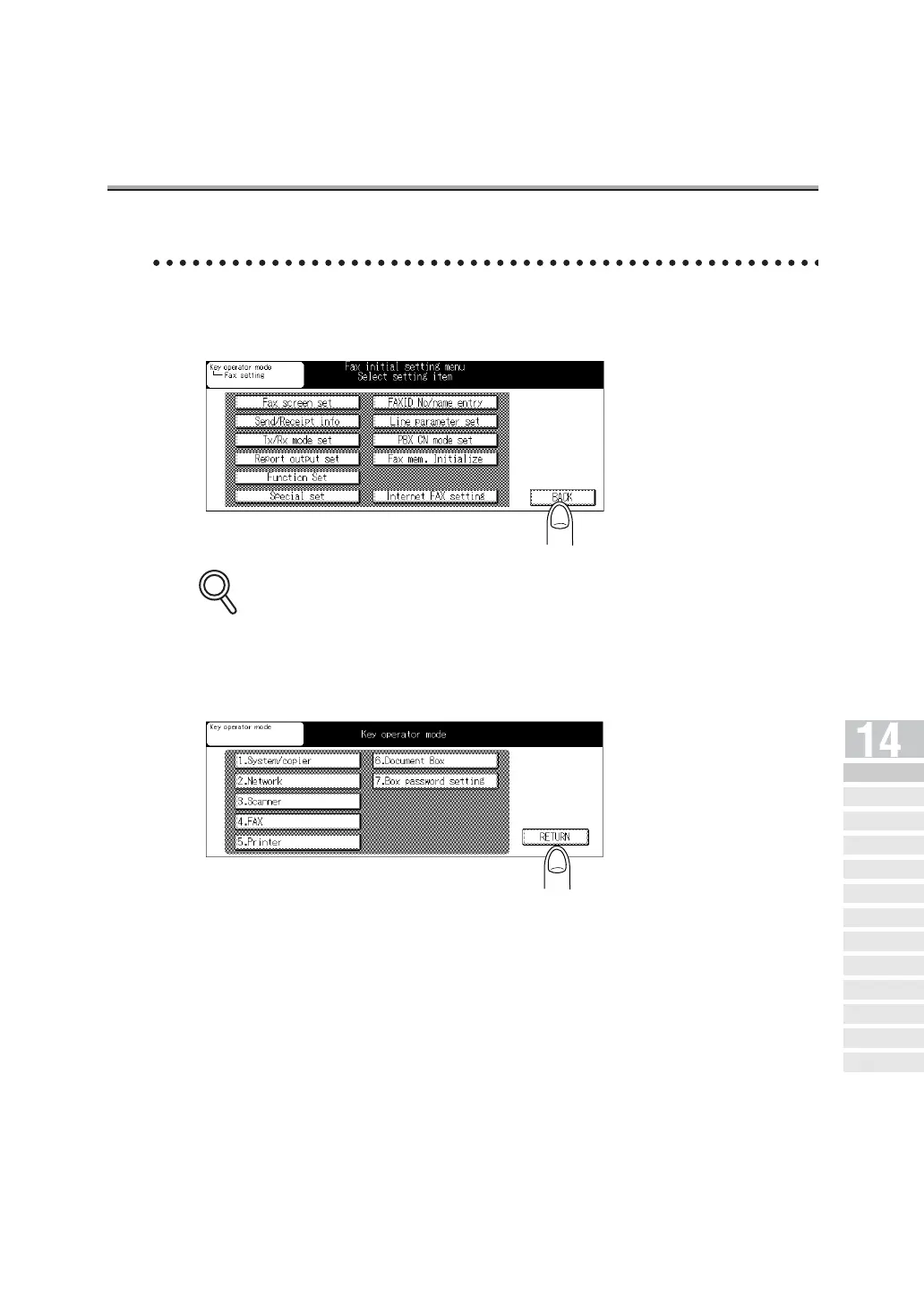
1. Press BACK in the FAX initial setting menu screen.
Some items may not be displayed depending on the optional settings.
2. Press RETURN.
The Copier Basic screen will be restored.
3. Press [FAX] on the control panel.
The FAX Basic screen will be restored.
DETAILS
Key Operator
Screen
FAX Key
Operator Mode
FAX Screen Set
Setting FAX ID/
Name
Se nder I nfo rmation /
Re ce pt ion Ti me
Line Parameter
Set
Transmission/Reception
Mode Options
PBX (Pr ivate Branch Ex chang e)
Connection Mode Options
Report Output
Set
Initiali zing the FAX
Image Memory
Function Set
Setting a Special
Parameter
Setting the Internet
Fax Functions



 To Next Page