32
Setting
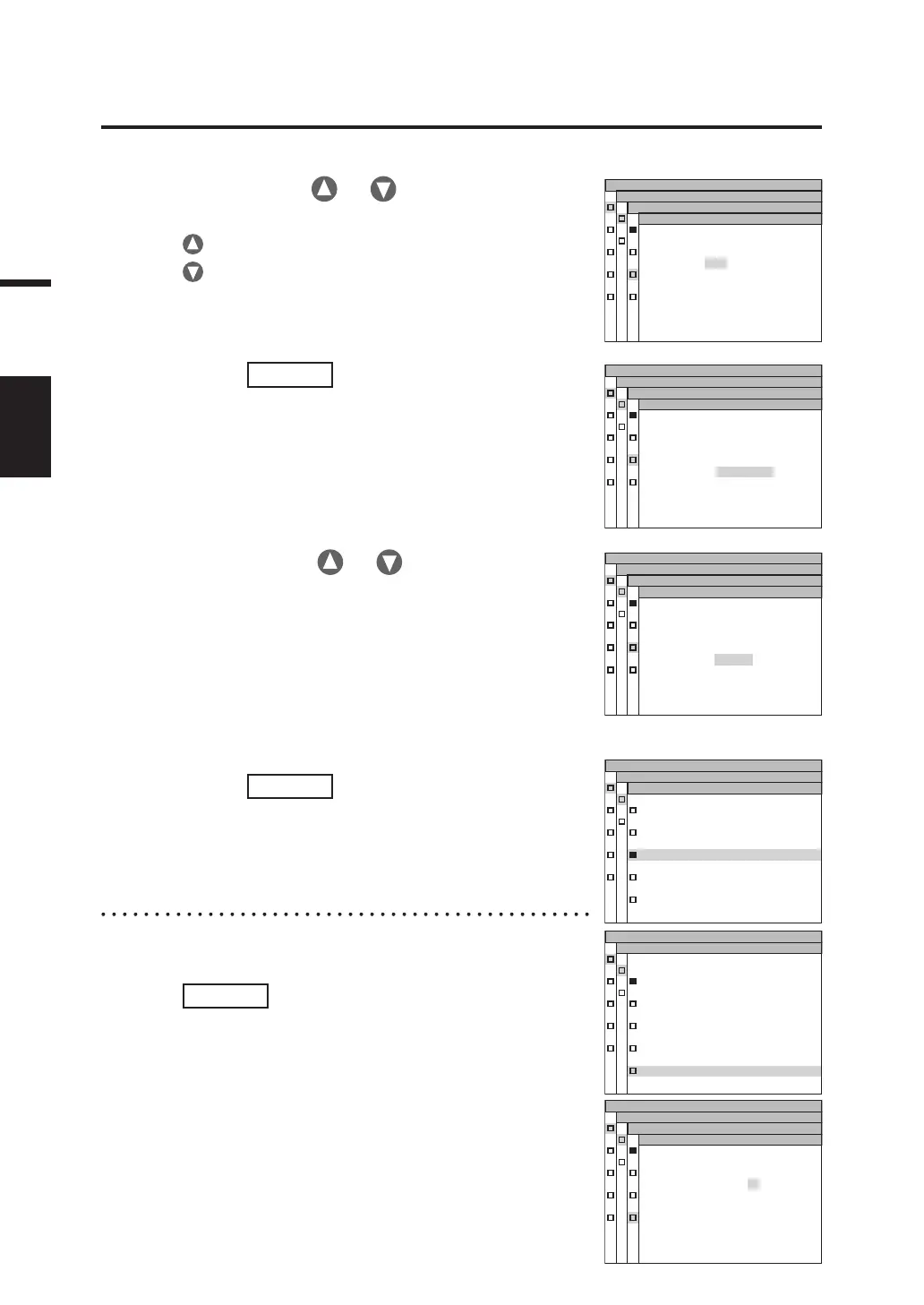
4-b-2. Press either or key to set a
value.
key for larger number.
key for smaller number.
The setting range of integration time is from 1 to 16 s.
4-b-5. Press
ENTER
key.
After the setting is entered, the MENU -
MEAS - SPEED MODE screen appears
again on the LCD.
MENU
MEAS
SP EE D MODE
NORMAL
F A S T
MULTI-N O R M A L
MULTI-F A S T
MANUAL
MENU
MEAS
MU LTI I NT EG
INTEG T IM E
1 0
SP EE D MODE
I N - N D A U T O
4-c-1. MANUAL setting:
Select [MANUAL] and press
ENTER
key.
The MENU - MEAS – SPEED MODE -
MANUAL screen appears. This screen is
used for input of the integration time in the
manual mode.
MENU
MEAS
MANUAL
INTEG T IM E
IN
-
N
D O
FF
0 0 0 0 3 3 . 3 3 3
m
s
SP EED MODE
MENU
MEAS
SP EE D MODE
NORMAL
F A S T
MULTI-N O R M A L
MULTI-F A S T
MANUAL
4-b-3. Press
ENTER
key.
The cursor moves to the IN-ND item.
This screen is used to determine whether
the ND filter built into the body is used or
not.
MENU
MEAS
MU LTI I NT EG
INTEG T IM E
1 0
SP EE D MODE
I N - N D A U T O
4-b-4. Press either or key to
select [AUTO], [OFF] or [ON].
Select [ON] when the error message “OVER” appears.
When measuring objects having a wide range of luminance
under the adjusted measurement conditions (ex. γ
measurement), set IN-ND to [OFF] or [ON]. For [OFF] or [ON]
selection, select [OFF] when the upper limit luminance is 100cd/
m2 or less, and [ON] when it is 100cd/m2 or more as a guide.
MENU
MEAS
MU LTI I NT EG
INTEG T IM E
1 0
SP EE D MODE
I N - N D O N













 To Next Page