32
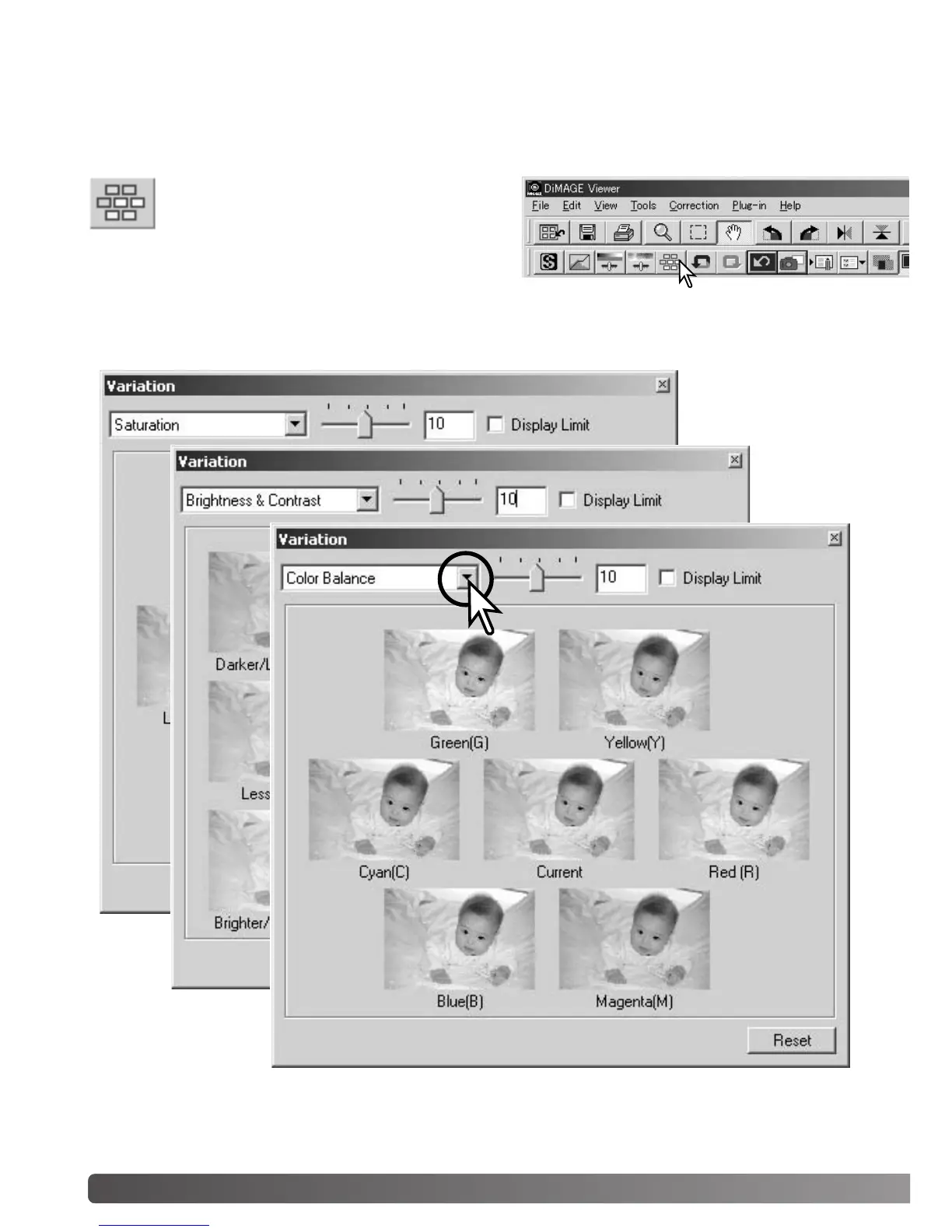
The variation palette allows an image to be corrected by comparing it to other slightly corrected
images surrounding it. This is an easy method to correct images for individuals who are inexperi-
enced in image processing or photofinishing.
Click the arrow next to the variation list box to select the image quality to be corrected: color balance,
brightness and contrast, or saturation. Each variation palette shows the current image in the center
with corrected samples displayed around it.
VARIATION PALETTE
Click the variation button or select Variation
from the image-correction option on the cor-
rection menu to display the palette.
BASIC IMAGE PROCESSING



 To Next Page