71
SAVING RAW JOBS
RAW processing settings can be saved and applied
to other images.
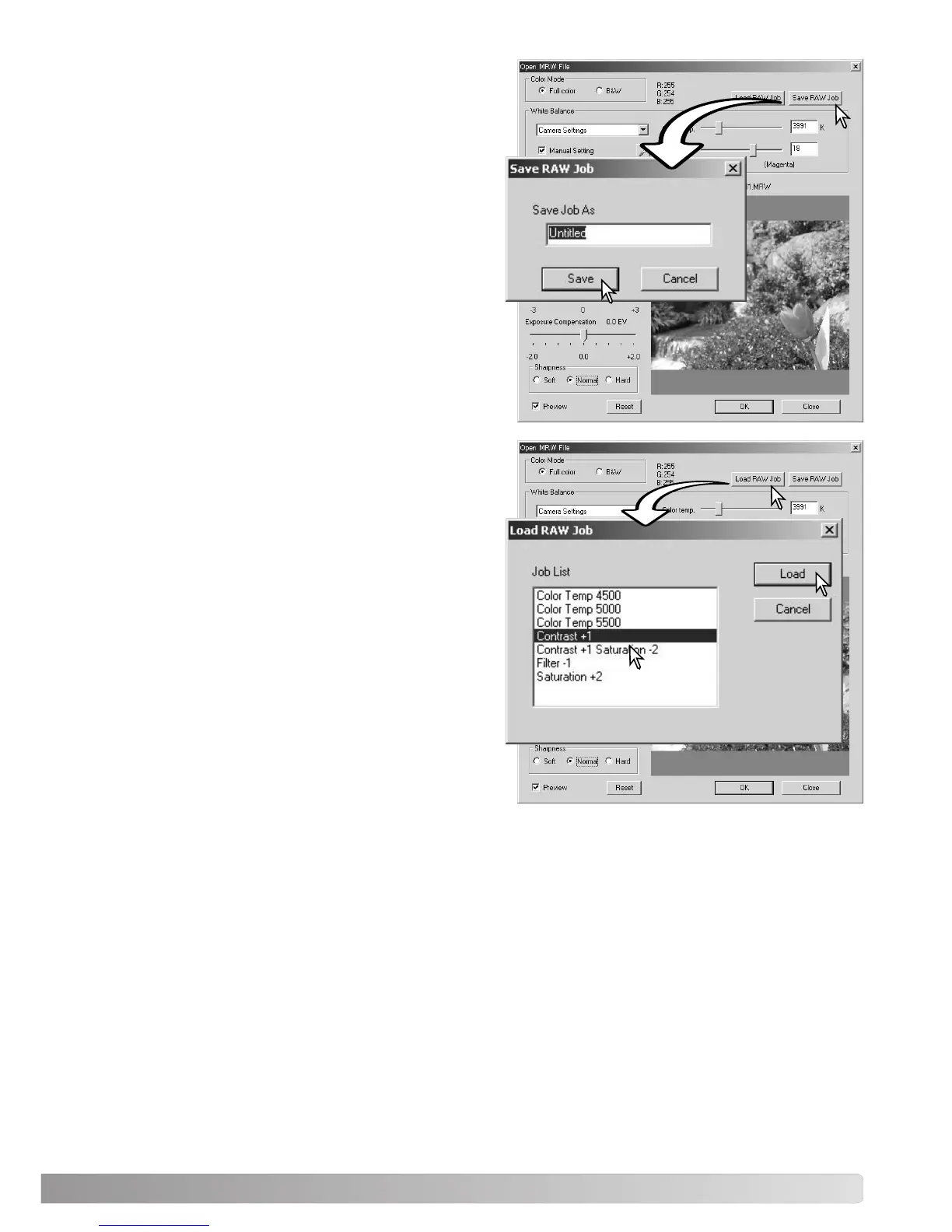
After all setting have been made on the open-MRW-
file dialog box, click the save-RAW-Job button. Enter
the name of the Job in the save-RAW-Job window
and click save.
LOADING RAW JOBS
To apply a RAW Job to another image, click on the
load-RAW-Job button in the open-MRW-file dialog
box.
Select the Job in the load-RAW-Job window and click
the load button to apply the settings to the image.



 To Next Page