58 ADVANCED IMAGE PROCESSING
A SHORT GUIDE TO HISTOGRAM CORRECTIONS
This guide shows simple corrections that can be made with a histogram. Unlike the the tone curve,
the histogram provides information on a specific image. This can used to evaluate the image and
make adjustments accordingly.
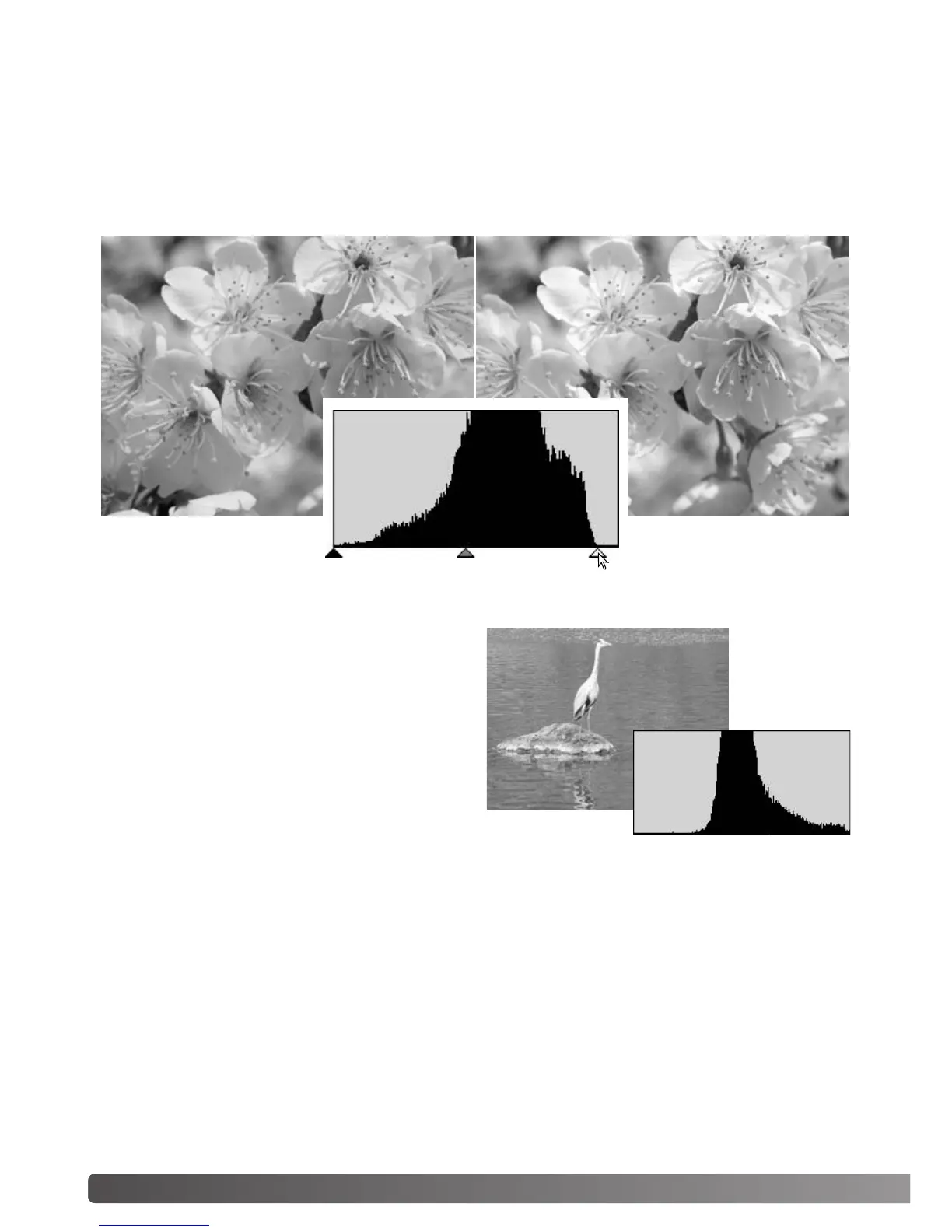
The histogram of the cherry blossoms shows a gap at the right and the flowers look a little grey. This
is caused by slight underexposure when the image was captured.
By moving the highlight slider to the left to set the white point to where the pixel distribution ends, the
whites become more brilliant and the contrast increases.
This image is flat. The pixel distribution in the his-
togram reflects the low-contrast scene. The lack of
any strong shadows or dark tones is indicated by
the absence of pixels on the left of the histogram.
Most of the detail is concentrated in a narrow
range in the mid-tones.



 To Next Page