41
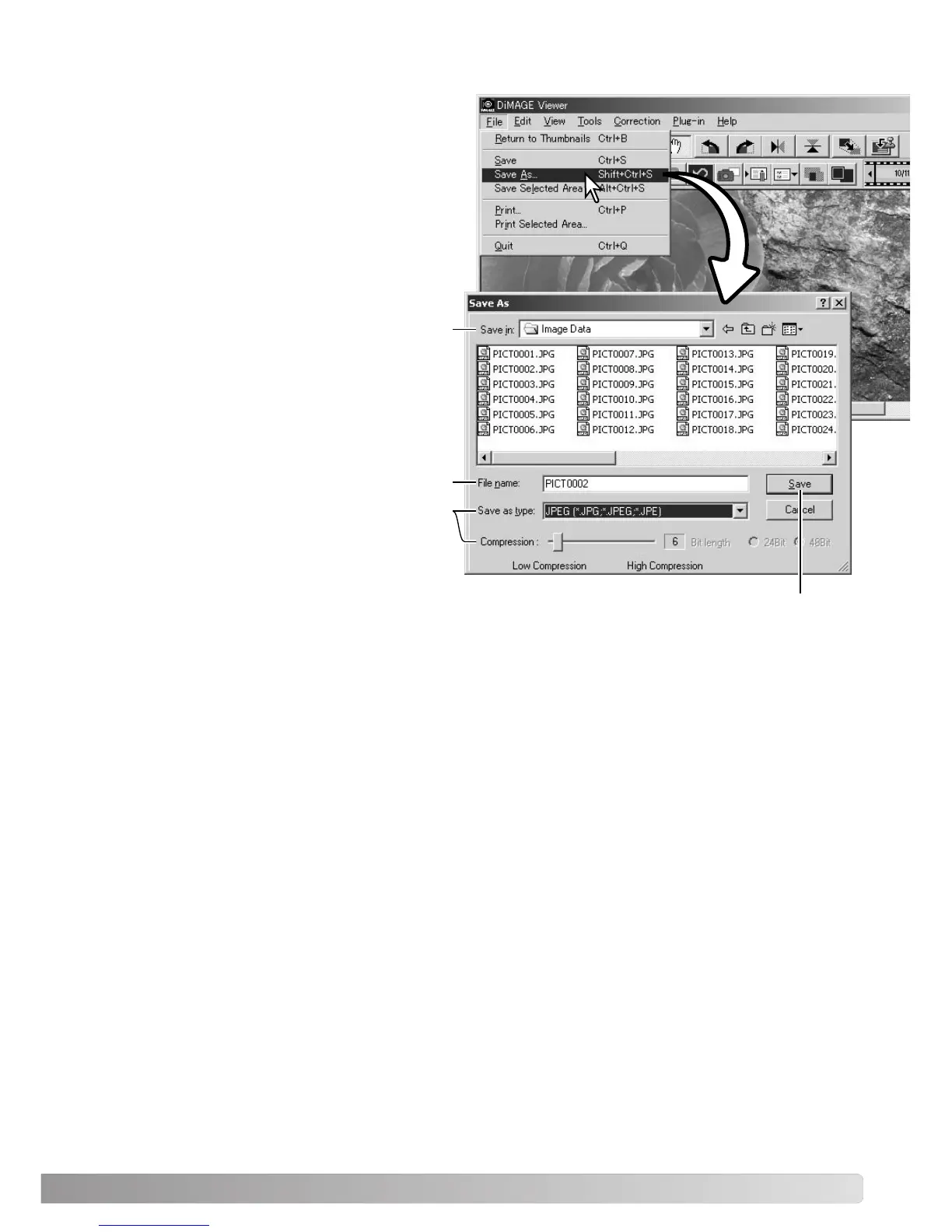
Click the save button to save the image.
CHANGING THE IMAGE NAME OR FORMAT
To save an image file under a new name or in a
new file format, select the save-as option from
the file menu. The save-as dialog box will open.
Specify the location to save the file.
Enter the file name without an extension.
Specify the file format of the image from the
drop-down menu. The file does not need to be
saved in the original file format. If JPEG is
selected, the compression rate must be fixed
using the slide bar at the bottom of the dialog
box. The higher the compression rate, the
smaller the file size, and the lower the image
quality.



 To Next Page