44 PRINTING
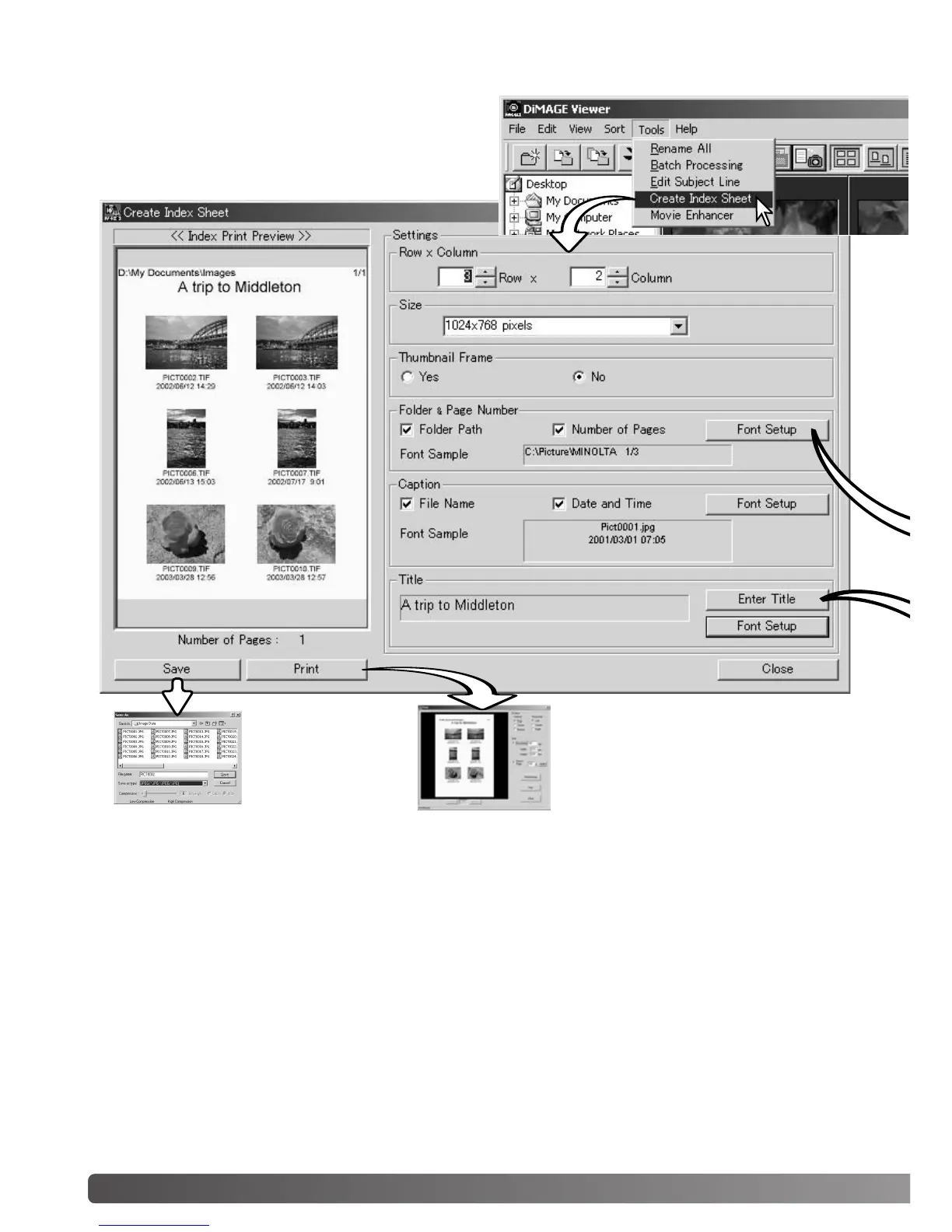
CREATING AN INDEX SHEET
Multiple images can be laid out in index sheets.
Select the images in the thumbnail display choose
the create-index-sheet option from the tool menu.
Click the save but-
ton to save the
index sheet as a
file.
Click the print button to open the
print-preview dialog box. See page 42
for information on print settings.



 To Next Page