9
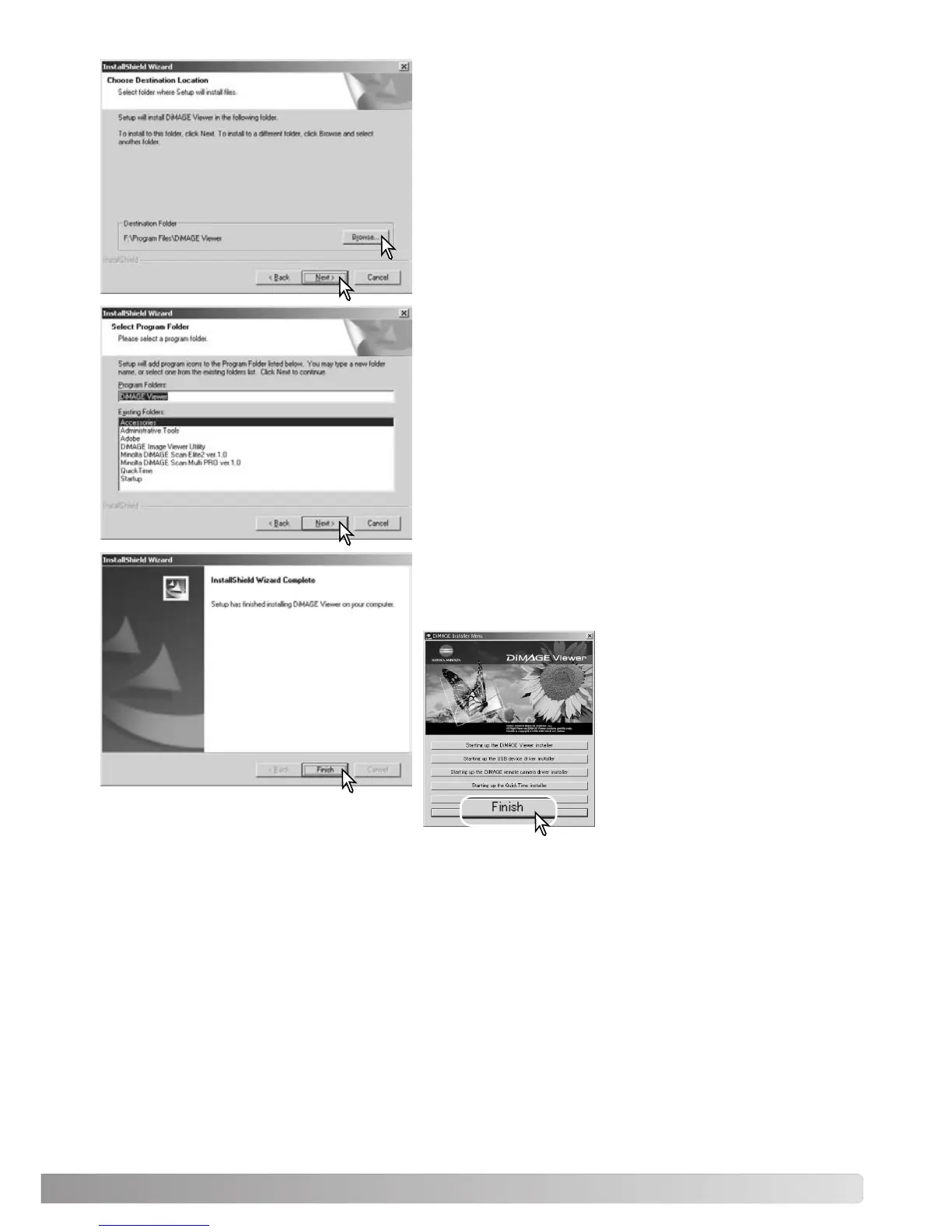
To install the software in the default location - F:\Program
Files\DiMAGE Viewer, click “Next >.” To install the soft-
ware in a different location, click browse button to display
the folder selection window. Specify the directory in which
to install the software.
The name of the default program folder is displayed. To
install the software icons in this folder, click “Next>.”
Installation will begin.
To install the software icons in another folder, select one
of the folders listed in the existing-folders box below. Click
“Next>” to begin installation.
When the software installation has been completed, a
message will be displayed. Click “Finish.”
The DiMAGE Viewer installer
window will be displayed. Click
“Finish” to close the window.



 To Next Page