EasyManua.ls Logo

Kontron KTH81/mITX - Page 76

Kontron KTH81/mITX
98 pages
Print Icon
To Next Page IconTo Next Page
To Previous Page IconTo Previous Page
Loading...
KTD-N0882-I Page 76 BIOS - Advanced
KTQ87/KTH81 Users Guide
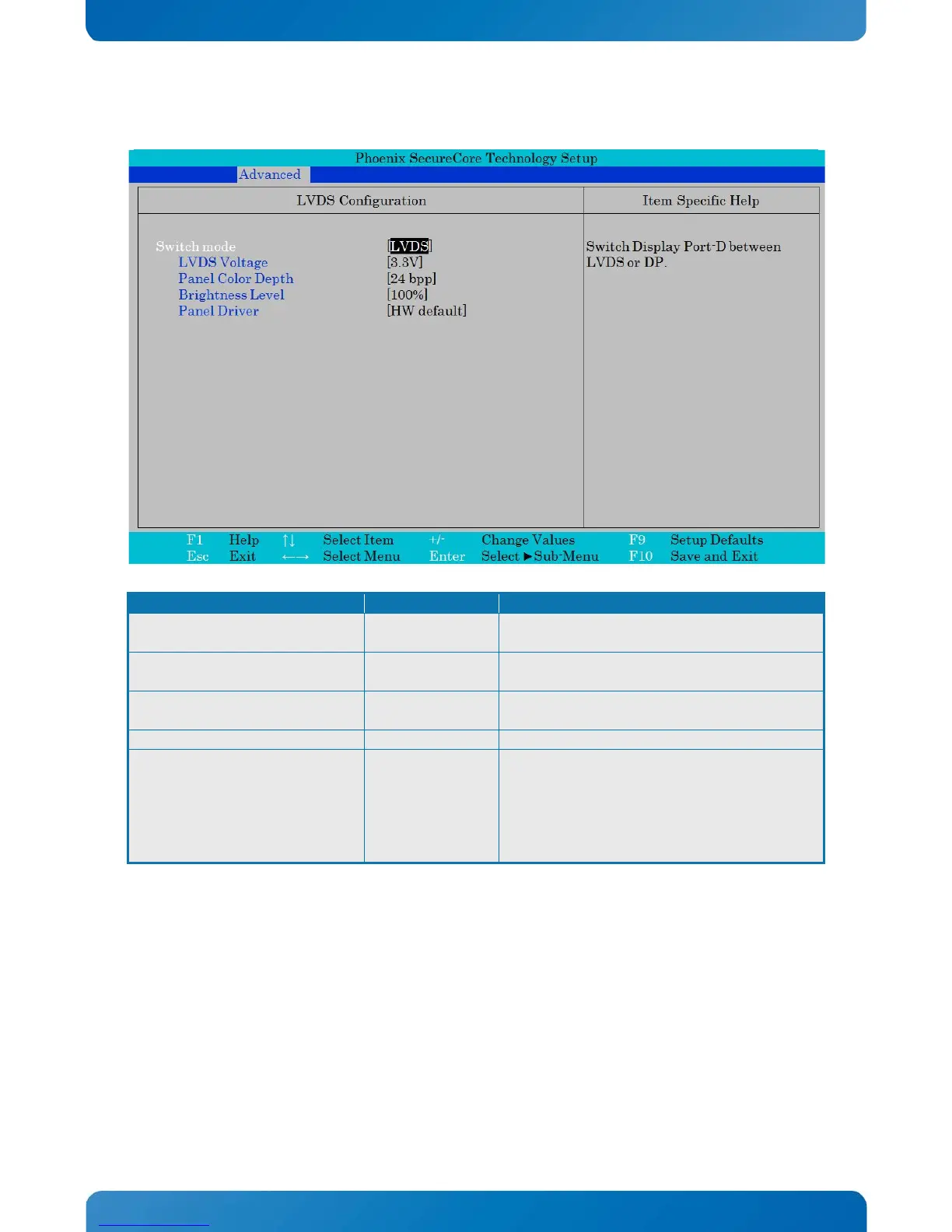
LVDS Configuration
Function
Selection
Description
Switch mode
LVDS
DP
Switch Display Port-D between LVDS or DP.
LVDS Voltage Note1
3.3V
5V
Select the LVDS Voltage.
Panel Color Depth Note1
18 bpp
24 bpp
Select the LVDS Panel Color Depth.
Brightness Level Note1
0%, 10%, … 100%
Select the LVDS Brightness Level.
Panel Driver Note1
HW default
LG 1600x1200
.
.
.
Test 3
Select the Panel (EDID)
Note 1, only when Switch mode = LVDS.
Phoenix SecureCore Technology Setup
Advanced
LVDS Configuration Item Specific Help
Switch mode
LVDS Voltage
Panel Color Depth
Brightness Level
Panel Driver
[LVDS]
[3.3V]
[24 bpp]
[100%]
[HW default]
Switch Display Port-D between
LVDS or DP.
F1
Help
↑↓
Select Item
+/-
Change Values
F9
Setup Defaults
Esc
Exit
←→
Select Menu
Enter
Select Sub-Menu
F10
Save and Exit

Table of Contents

Related product manuals