EasyManua.ls Logo

Kontron KTH81/mITX - TPM Configuration

Kontron KTH81/mITX
98 pages
Print Icon
To Next Page IconTo Next Page
To Previous Page IconTo Previous Page
Loading...
KTD-N0882-I Page 96 BIOS - Security
KTQ87/KTH81 Users Guide
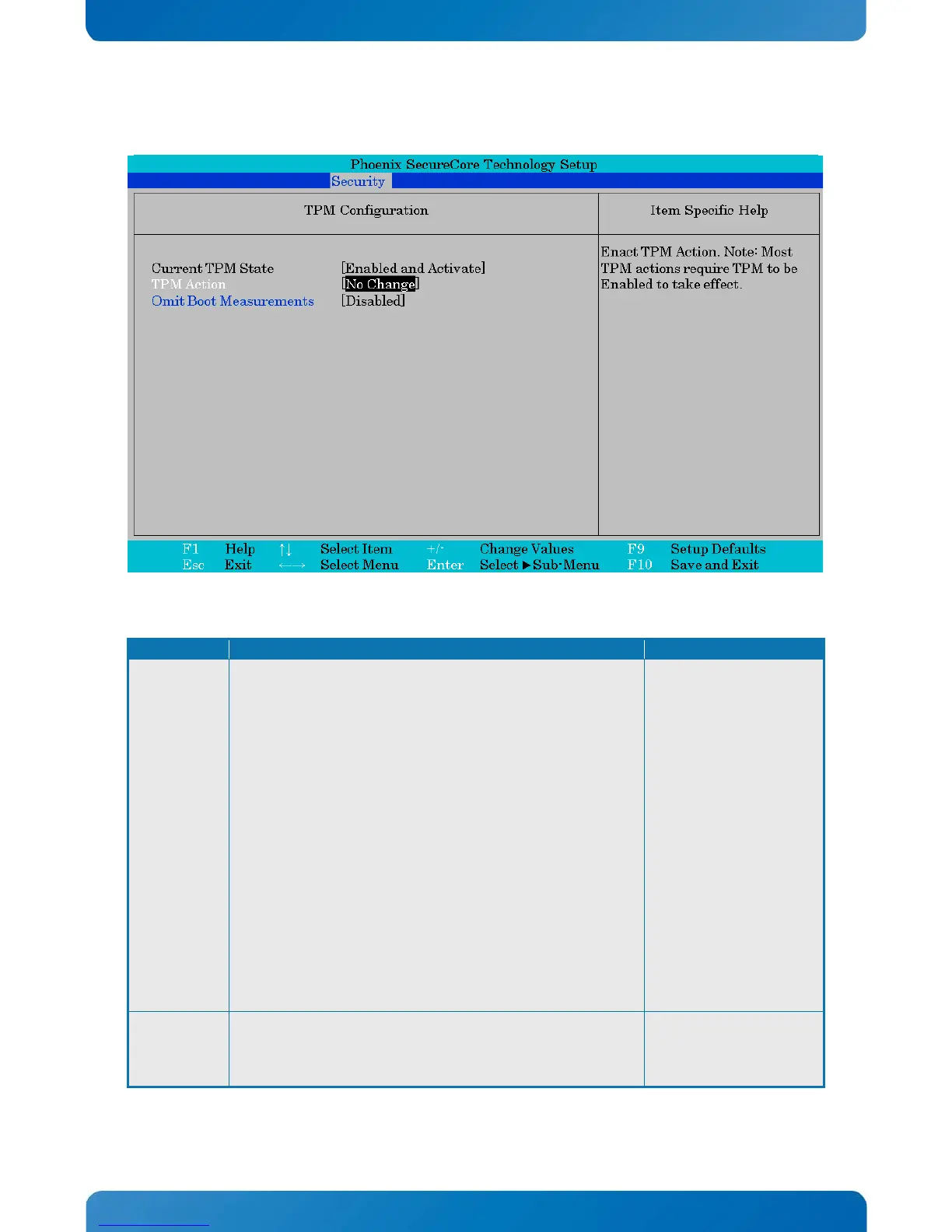
TPM Configuration
Phoenix SecureCore Technology Setup
Security
TPM Configuration
Item Specific Help
Current TPM State
TPM Action
Omit Boot Measurements
[Enabled and Activate]
[No Change]
[Disabled]
Enact TPM Action. Note: Most
TPM actions require TPM to be
Enabled to take effect.
F1
Help
↑↓
Select Item
+/-
Change Values
F9
Setup Defaults
Esc
Exit
←→
Select Menu
Enter
Select Sub-Menu
F10
Save and Exit
Function
Selection
Description
TPM Action
No Change
Enable
Disable
Activate
Deactivate
Clear
Enable and Activate
Disable and Deactivate
Set Owner Install, with State=True
Set Owner Install, with State=False
Enable, Activate, and Set Owner Install, with State=True
Disable, Deactivate, and Set Owner Install, with State=False
Clear, Enable, and Activate
Require PP for provisioning
Do not require PP for provisioning
Require PP for clear
Do not require PP for clear
Enable, Activate, and Clear
Enable, Activate, Clear, Enable, and Activate

Enact TPM Action. Note:
Most TPM actions require
TPM to be Enabled to take
effect.
TPM Support
Disabled
Enabled
Enabling this option
causes the system to omit
recording boot device
attempts in PCR[4].

Table of Contents

Related product manuals