66
Using with other MIDI devices
MIDIstandsforMusicalInstrumentDigitalInterface,andisaworldwidestandard
for exchanging various types of musical data between electronic musical instru-
ments and computers.
WhenMIDIcablesareusedtoconnecttwoormoreMIDIdevices,performancedata
canbeexchangedbetweenthedevices,eveniftheyweremadebydierentmanu-
facturers.
MIDIdatacanalsobeexchangedbetweentheprologueandyourpersonalcomputer
usingasingleUSBcable.TheprologueletsyouassignMIDIcontrolchangenum-
bers(CC#)tothemajorparametersthataectthesound,andcontroltheseparam-
etersfromanexternalMIDIsequencerwhileyouplaythetonegenerator.Youcan
alsousethefrontpanelknobsorbuonstotransmitthesecontrolchangemessages,
inordertocontrolanexternalMIDIdevice.
Youcanalsosynchronizetheprologue’stempototheMIDIclockofanexternal
MIDIsequencerorotherdevice,sothattheprologuewillplayintimewiththeex-
ternal device and with any changes you make.
Connecting Devices via MIDI and USB
Controlling an external MIDI device from the prologue
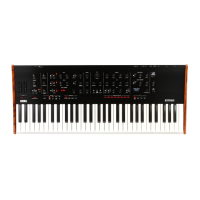
If you want to use the prologue’s keyboard, controllers, and sequencer to play
soundsonortocontrolanexternalMIDItonegenerator,connecttheprologue’s
MIDIOUTconnectortotheexternalMIDItonegenerator’sMIDIINconnectorusing
aMIDIcable.
MIDI OUT
MIDI IN
Tone generator
prologue


 To Next Page