11 Operation
11.6 Display flow rate, total or accumulated total
11.6 Display flow rate, total or accumulated total
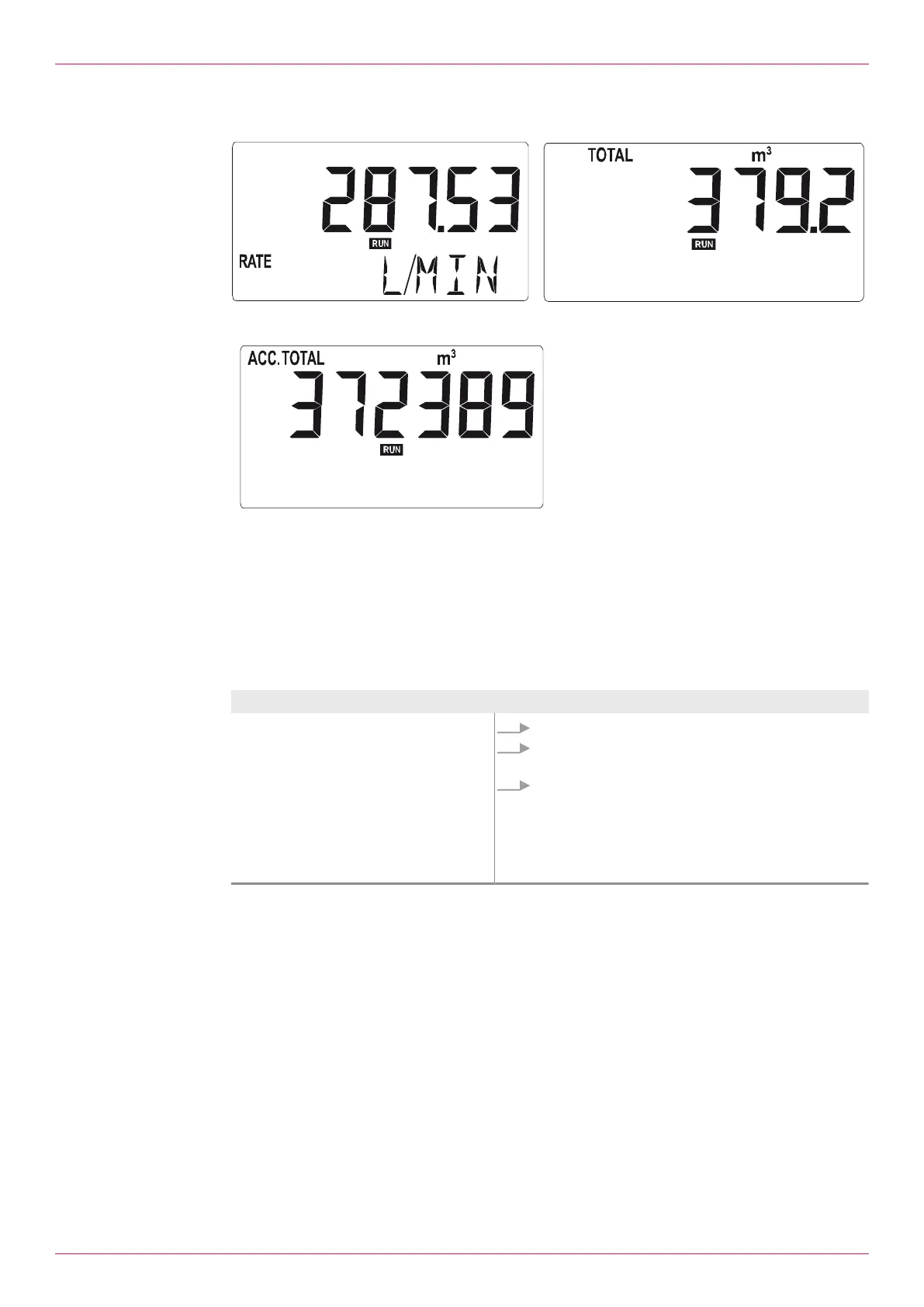
Fig.7: Display data for flow rate (left) / display data for total (right) (examples)
Fig.8: Display data for accumulated total (ex-
ample)
There are three different screens with display data. When you press the SELECT key, flow rate, total or
accumulated total are displayed. The accumulated total is counted up to the value 9999999. The unit
and the number of decimal places are displayed according to the configuration settings for Total.
Note If “-------” is displayed, the flow rate value is too high to be displayed.
11.7 Reset Total
Aim Operating steps
Reset Total
1. Select menu 1 (TOTAL).
2. Press CLEAR.
“CLEAR TOTAL” starts to flash.
3. Press CLEAR briefly to confirm the reset of Total.
press
- or -
SELECT to cancel this action.
Note: Resetting Total has no effect on the accumulated
Total.
Tab.6: Reset Total
11.8 Alarm status
Note A flashing alarm flag indicates an internal alarm condition.
Alarm conditions are processed internally in most cases.
Information on alarms Ä Troubleshooting,Page21.
16
OIE 24en-GB Edition 2022-01
Operating instructions



 To Next Page