18
Using Your Kreg Jig
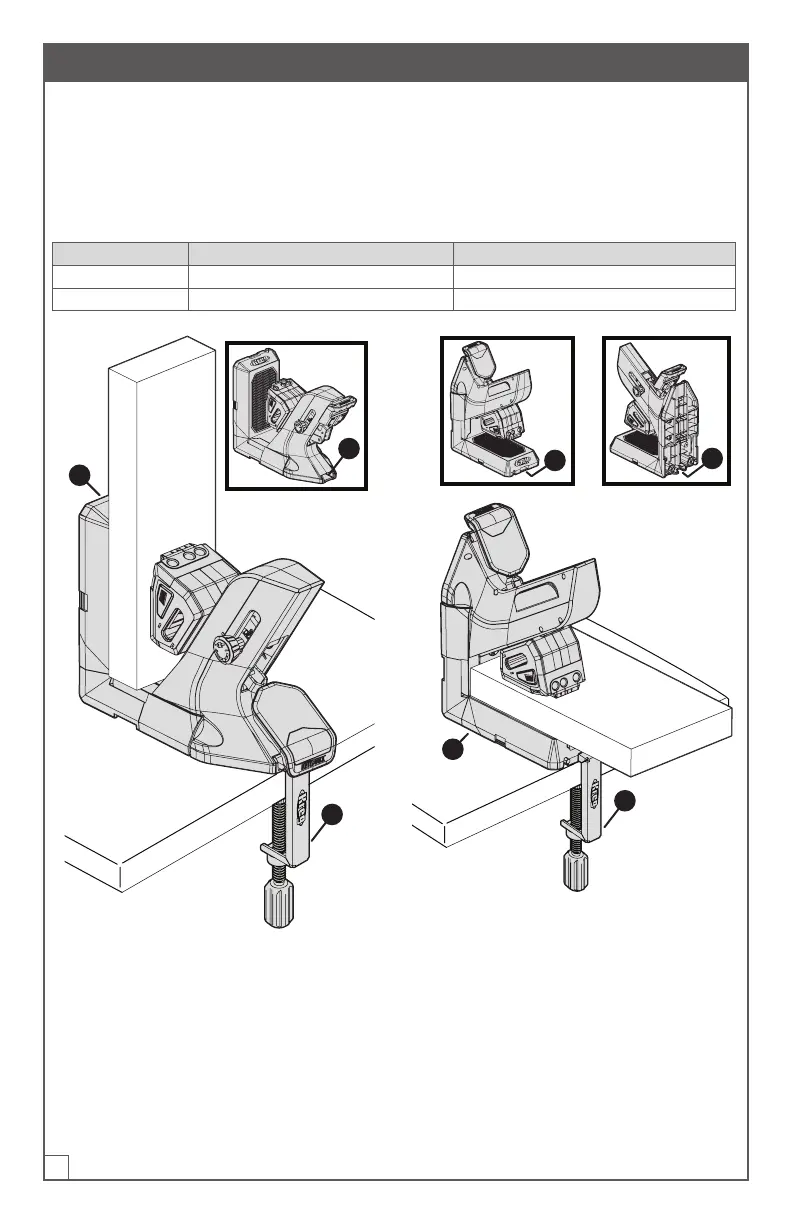
Your Kreg Jig has been designed to work in either a vertical or horizontal orientation
to accommodate your workpiece.
To switch from one orientation to the other, simply rotate the jig 90degrees.
In either orientation, you can use the pocket-hole jig clamp (O) to secure the jig in
place on your workbench.
Orientation Description Clamp Position Options
Vertical Tool-storage side (1) is vertical One available clamp position (2)
Horizontal Tool-storage side (1) is face-down Two available clamp positions (3, 4)
1
2
O
Vertical
1
3
4
O
Horizontal


 To Next Page