7
Docking Station Assembly
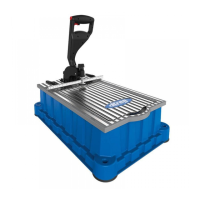
This section describes how to assemble the docking station that is included with the
KPHJ720PRO package. You can also purchase the docking station separately (see
Accessories onpage21).
Note If you are not using the docking station, skip this section and continue to
Operation - Drilling Pocket Holes onpage12.
1
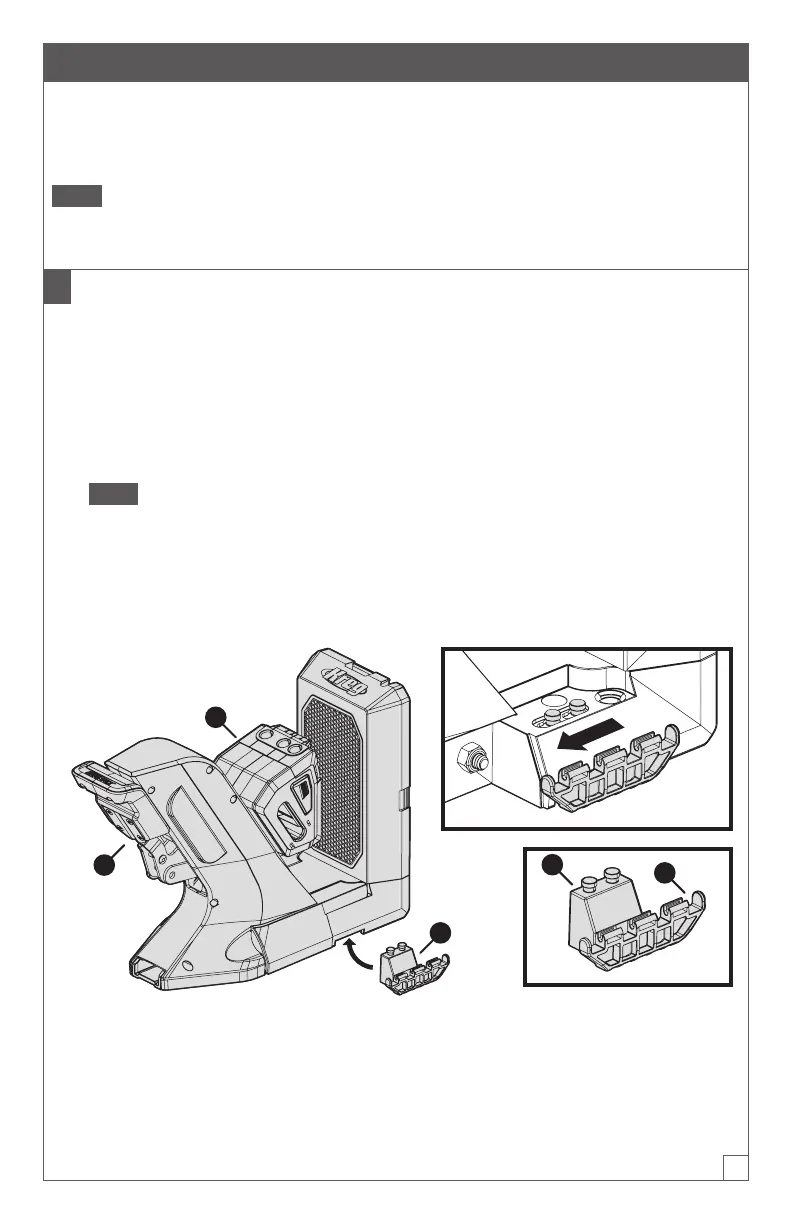
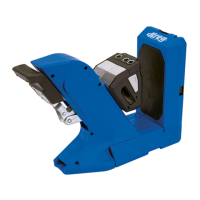
Connect the Dock Adapters to the Jig
a. Place the KPHJ720 Jig (A) on a at surface.
b. With one hand, lift one side of the jig (A) slightly.
c. With your other hand, place a dock adapter (H) under the jig (A) so that the
attachment pins (1) t into the corresponding hole on the underside of the
jig(A); then slide the dock adapter (H) toward the jig handle (3) to lock the dock
adapter(H) into position.
Note One side of a dock adapter (H) has attachment pins (1) that t under the
jig; the other side has a connector (2) for a material support wing (not shown).
Ensure that the wing-connector side (2) of the dock adapter (H) extends out
from the side of the jig (A).
d. Repeat steps b and c to connect the other dock adapter (H) on the opposite side
of the jig (A).
H
A
1
2
3


 To Next Page