Start-up
34
Pos: 18.36 /Übersc hriften/Überschrif ten 2/F-J/G elenkwelle montier en @ 2\mo d_120239834 2788_78.docx @ 5 9253 @ 2 @ 1
6.7 Install the PTO shaft
Pos: 18.37 /BA/I nbetriebnahme/ Erstinbetriebna hme/Gelenkwelle/M ähwerke/An bau Gelenkw elle traktorseitig Bil dE C2800/3 200 @ 10\mod_1 22181726735 1_78.docx @ 138 215 @ @ 1
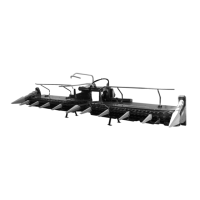
Figure 10
Pos: 18.38 /BA/I nbetriebnahme/ EasyCut/Anbau Gelenkwelle/ Anbau Gelen kwelle gezogene/a ngehängte Eas yCuts @ 9\mo d_122087487 6438_78.docx @ 1 28292 @ @ 1
• Slide the PTO shaft (1) onto the PTO end of the tractor and secure it.
• Secure the PTO shaft guard against turning with the retaining chain (2).
Pos: 18.39 /BA/--- ------ ------Seitenumbruch---- ------------ @ 0\m od_1196175311 226_0.docx @ 4 165 @ @ 1



 To Next Page
 Loading...