Applications and Entertainment 99
Google Maps
Use this application to find directions, location information, business addresses, etc., all right
from your device. Determine your current location with or without GPS, get driving and transit
directions, get phone numbers and addresses for local businesses.
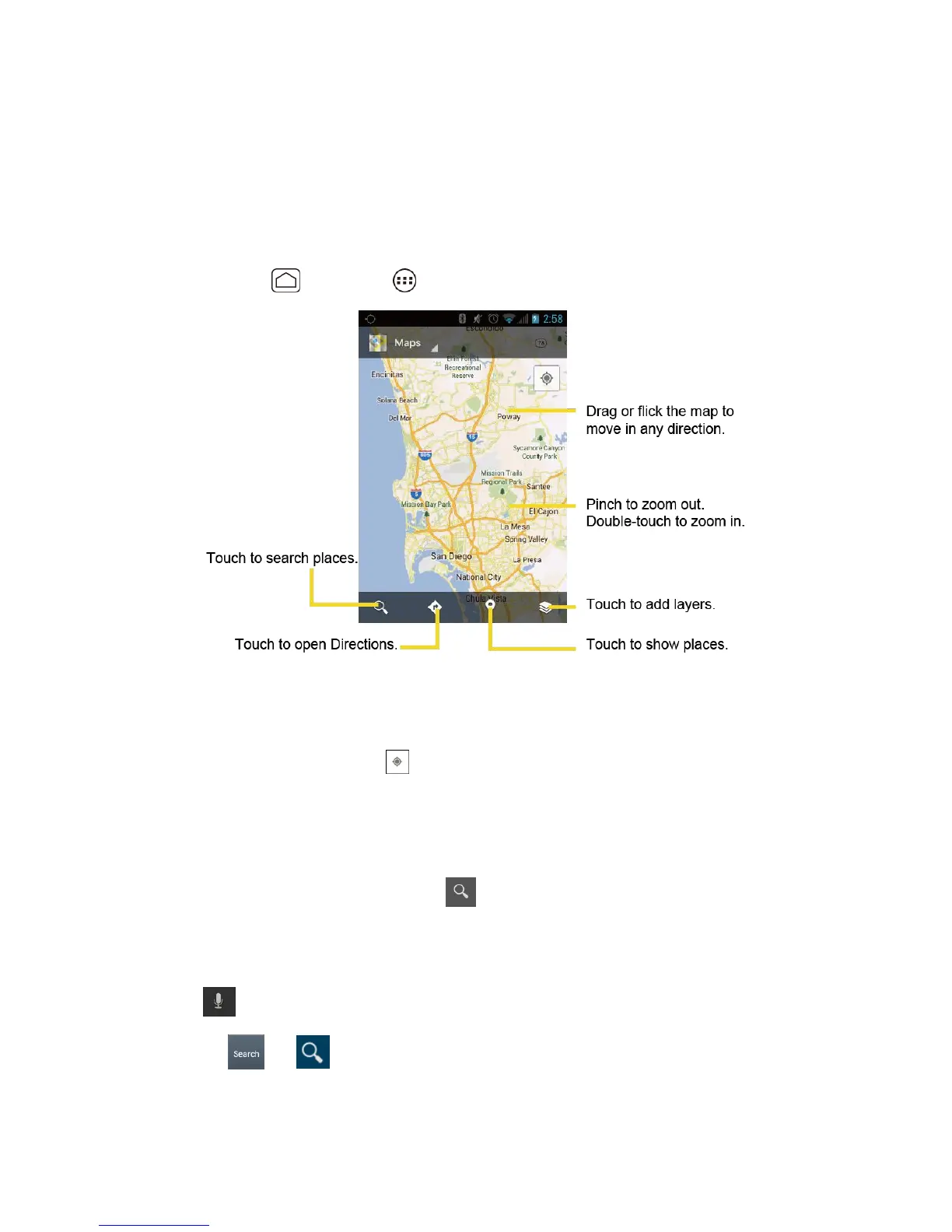
Opening Google Maps
► Press
Home
, and touch >
Maps
.
Finding Your Current Location
Note: Don‟t forget to set your location sources.
On the Google Maps screen, touch . A blinking blue arrow indicates your current location on
the map. This feature is available when
Google’s location service
or
GPS satellites
is
enabled. See Location .
Searching Maps
1. On the Google Maps screen, touch .
2. Type the place that you want to search. You can enter an address, a city, or type of
establishment.
Tip
: Touch to search by speaking the location you are searching.
3.
Touch or
. A callout label appears on the map to indicate the location.
4. Touch the callout to open the menu for the location.












 To Next Page