Device Basics 22
• Show complete trace: Check to display the complete Swype path.
• Word suggestion: Touch to activate word prediction when typing in Swype.
• Speed vs. accuracy: Touch to set how quickly Swype responds to input.
• Reset Swype’s dictionary: Touch to delete all the words you have added to
Swype‟s dictionary.
• Version: Displays the current Swype version.
Language Options: Touch to select the language to use on Swype.
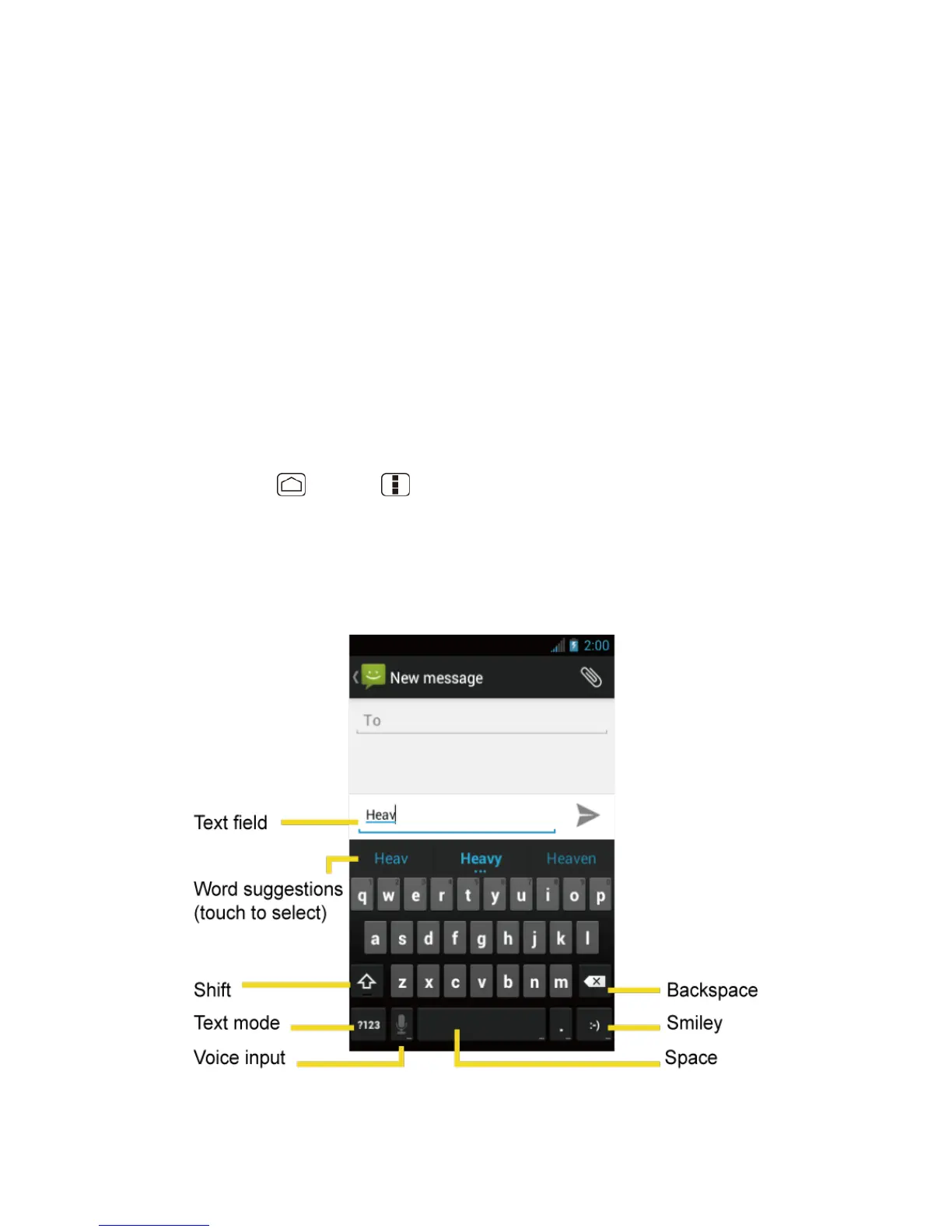
Entering Text Using the Android Keyboard
When entering text, you can choose to use the Android keyboard.
To select the Android keyboard:
1. Press Home > Menu , and touch System settings > Language & input.
2. Touch Default under KEYBOARD & INPUT METHODS.
3. Touch Android keyboard.
Android Keyboard Overview












 To Next Page