Device Basics 9
Your Device’s Layout
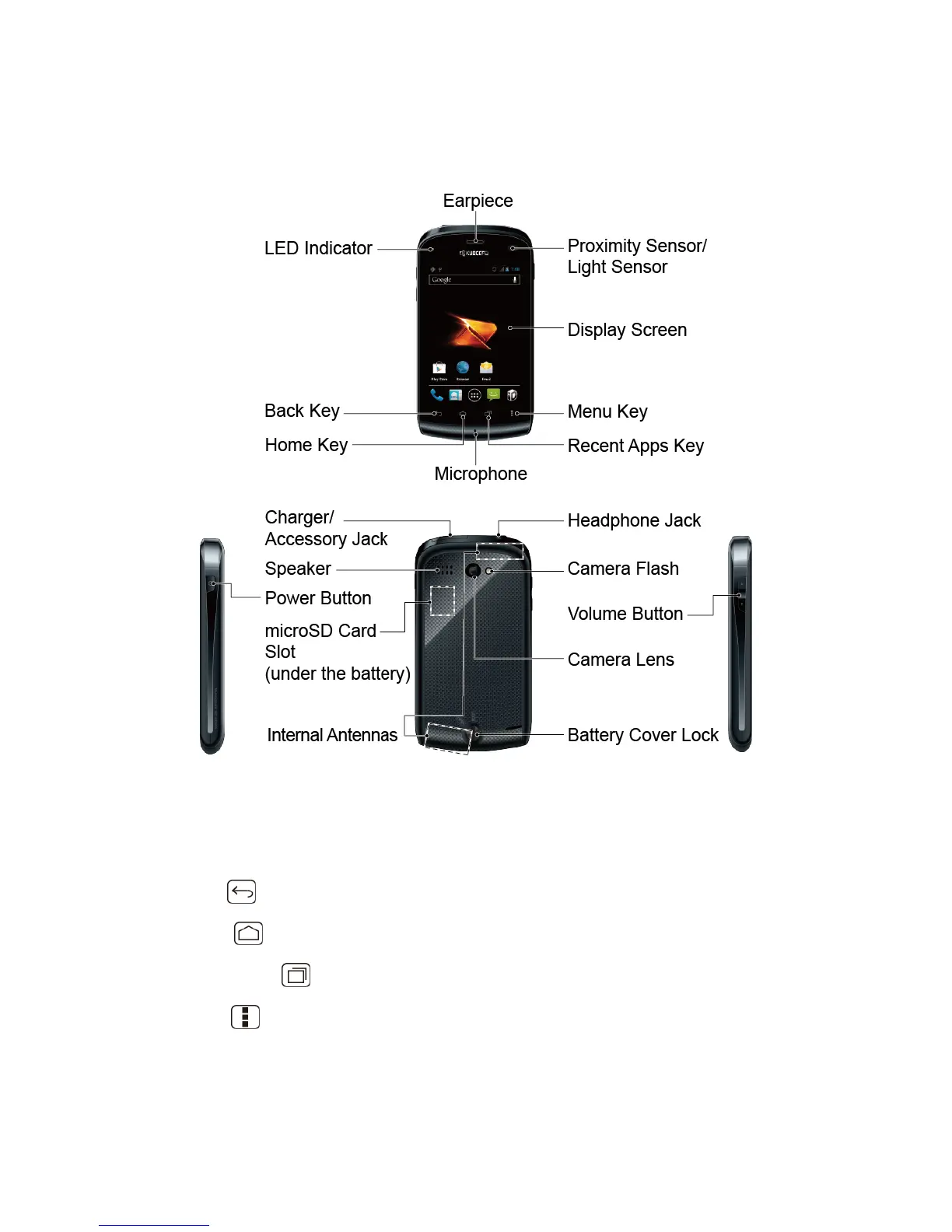
The illustrations and descriptions below outline your device‟s basic layout.
Key Functions
● LED Indicator shows your device‟s battery status. It also flashes for incoming calls or
pending notifications.
● Back Key ( ) returns you to the previous screen or closes the dialog box.
● Home Key ( ) returns you to the Home screen.
● Recent App Key ( ) allows you to show the Recent App screen.
● Menu Key ( ) lets you open the menus of the current screen or application.
● Microphone allows other callers to hear you clearly when you are speaking to them.












 To Next Page