Web and Data 113
Tip: To change the device‟s default launch page to your current page, press Menu , and
touch Settings > General > Set homepage > Current page.
Note: The Browser automatically launches when a Web link is touched from within either an
email or text message.
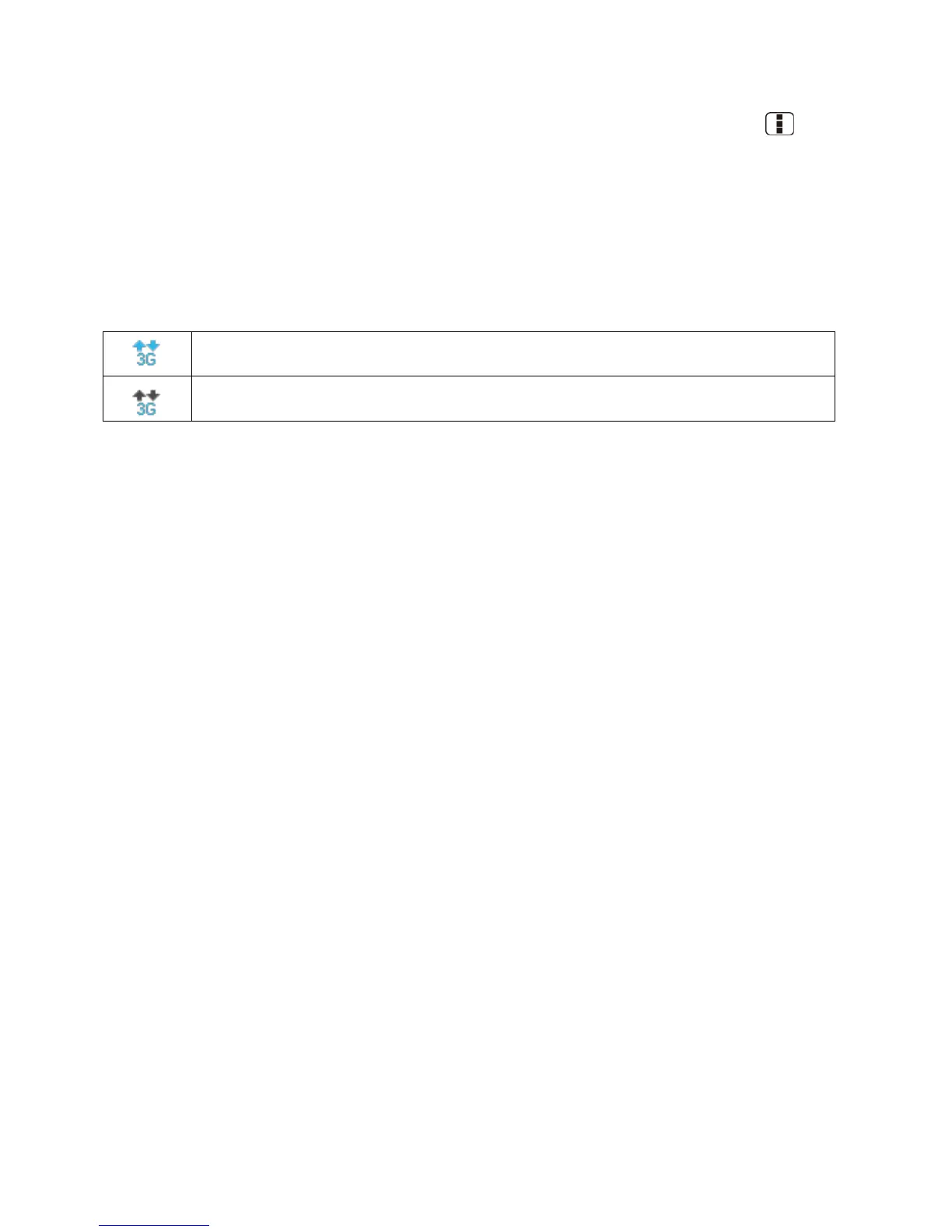
Data Connection Status and Indicators
Your device displays the current status of your data connection through indicators at the top of
the screen. The following symbols are used:
Your device is connected to the 3G Network. When the arrows are animated, your
device is transferring data (for example, when you are opening a Web page).
Your device is connected to the network but is not currently transferring data (for
example, when you are viewing a Web page that is completely open).
In any state, you can receive incoming calls.
If you do not see an indicator, your phone does not have a current data connection. To launch a
connection, see Launch a Web Connection.
Browser
Your device‟s Web browser gives you full access to both mobile and traditional websites on the
go, using data service, or Wi-Fi data connections.
Learn to Navigate the Browser
Browser Menu
Select Text on a Web Page
Adjust Browser Settings
Adjust Browser Privacy and Security Settings
Adjust Browser Accessibility Settings
Adjust Browser Advanced Settings
Adjust Browser Bandwidth Management Settings
Adjust Browser Labs Settings
Set Search Engine
Create Website Settings
Reset the Browser to Default












 To Next Page