Get Started 3
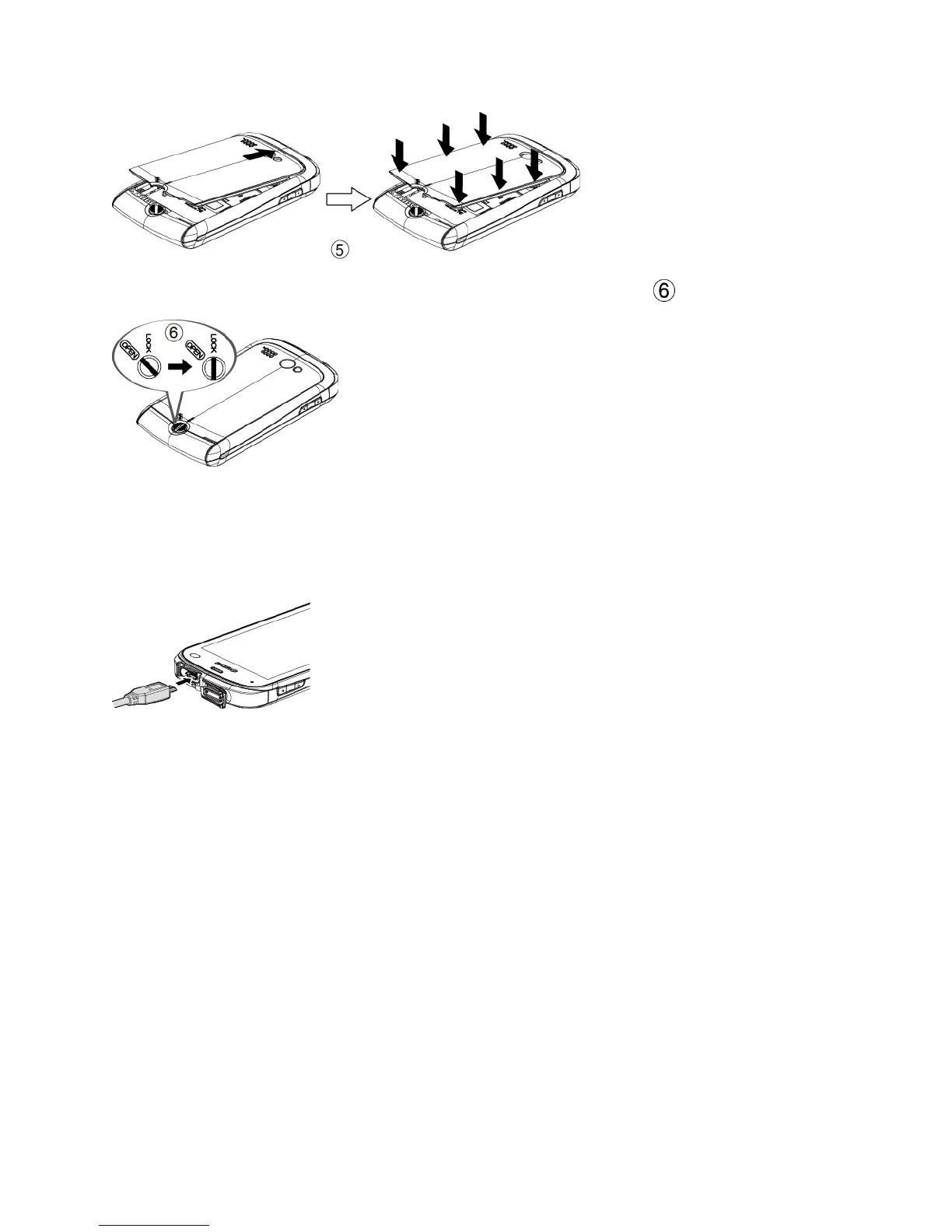
Turn the battery cover lock clockwise to the locked position ( ).
2. Charge your battery.
Open the cover of the charger/accessory jack.
Plug the smaller end of the micro-USB cable into the device‟s charger/accessory jack.
Plug the other end of the USB cable into the charger, and then plug the charger into
an electrical outlet.
Note: Your device‟s battery should have enough charge for the device to turn on and find a
signal, run the setup application, set up voicemail, and make a call. You should fully
charge the battery as soon as possible.
3. Press and hold the Power button to turn your device on.
If your device is activated, it will turn on and search for service.
If your device is not yet activated, see the Activation section of your Get Started
Guide for more information.
Complete the Setup Application
Once your device has been turned on and activated, you will see a Welcome message. You can
then complete the Setup application.












 To Next Page