Get Started 2
Set Up Your Device
You must first install and charge the battery to begin setting up your device.
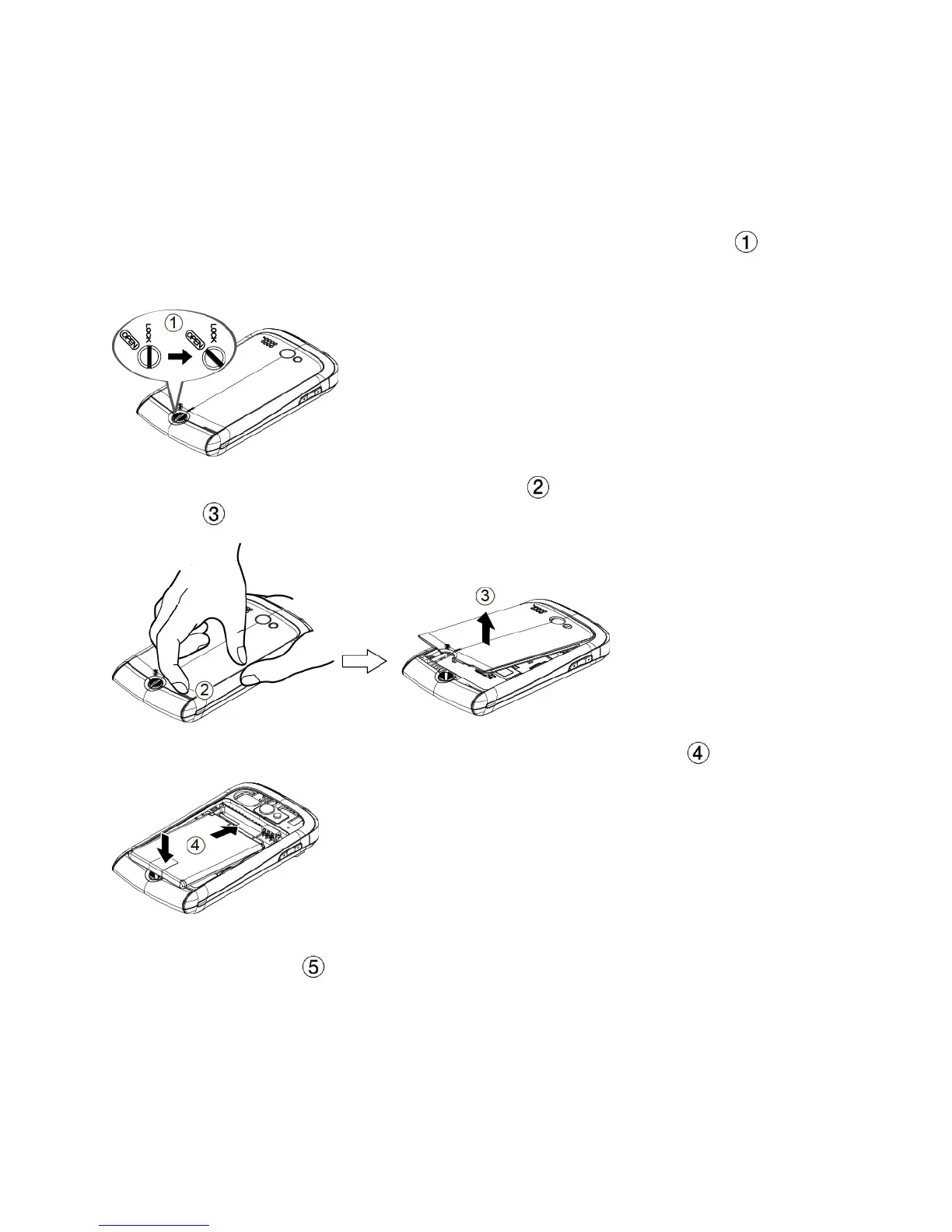
1. Install the battery.
Turn the battery cover lock counter-clockwise to the unlocked position ( ).
Insert your thumb- or fingernail into the slit ( ) and then pull out the battery cover
( ).
Insert the battery, contacts end first, and gently press into place ( ).
Replace the cover, making sure all the locking tabs of the cover are seated and there
are no gaps. ( ).












 To Next Page