Camera and Video 123
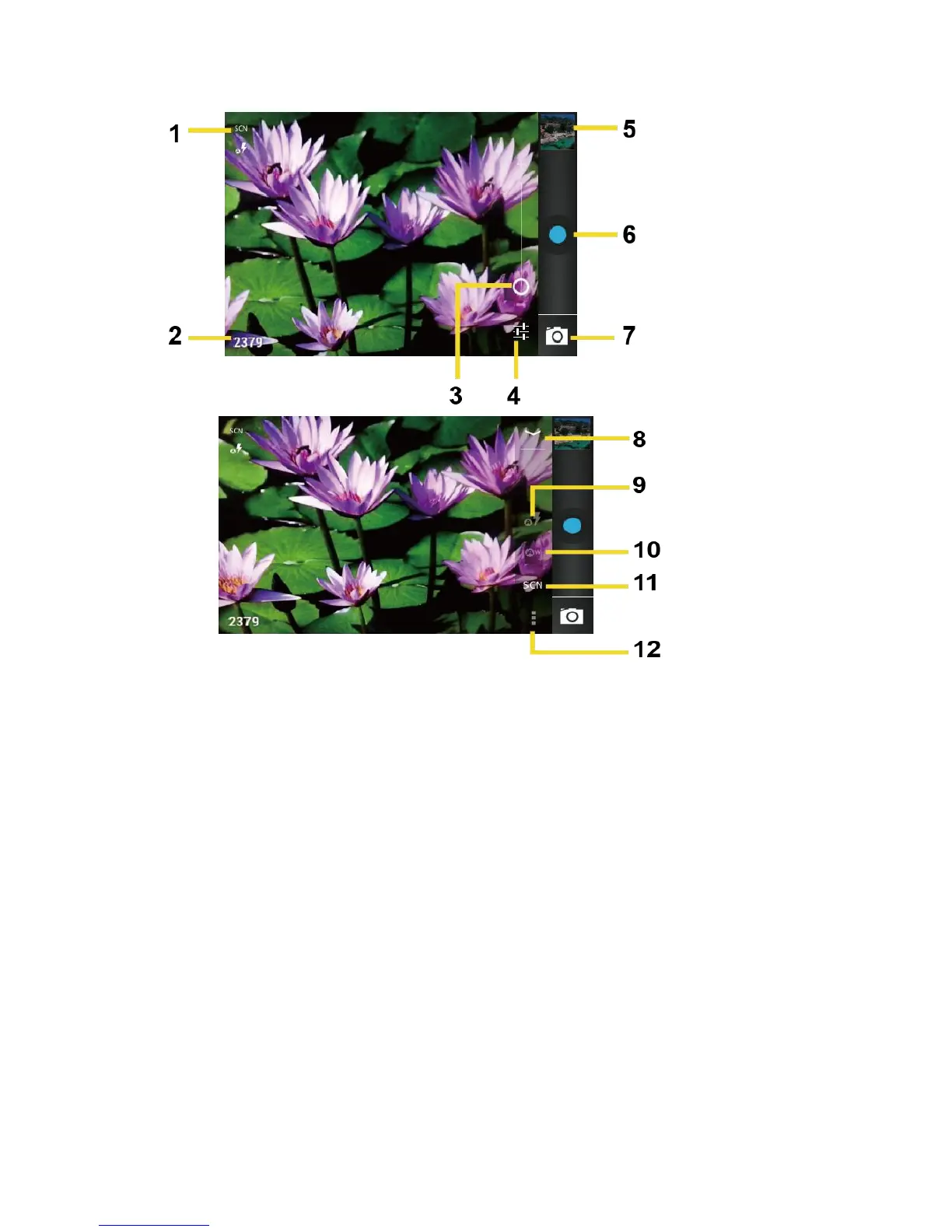
1. Camera mode icons: Displays the current camera modes.
2. Available shot: Displays the number of shots left available (depending on the capacity
of the microSD card).
3. Zoom slider: Drag this slider to change the zoom settings. You can also change the
zoom settings by pressing the volume button up or down.
4. Settings button: Reveals the additional camera mode buttons (8-12).
5. Thumbnail: Thumbnail of the latest picture. Touch to view and manage.
6. Shutter button: Touch to take a picture.
7. Switch button: Touch to select camera or camcorder.
8. Close button: Touch to close the camera mode buttons(9-12) and return to the zoom
slider.
9. Flash mode button: Touch to select the flash mode.












 To Next Page