Preparation before Use > Load Paper
145
Loading Paper in the Multipurpose Tray
1
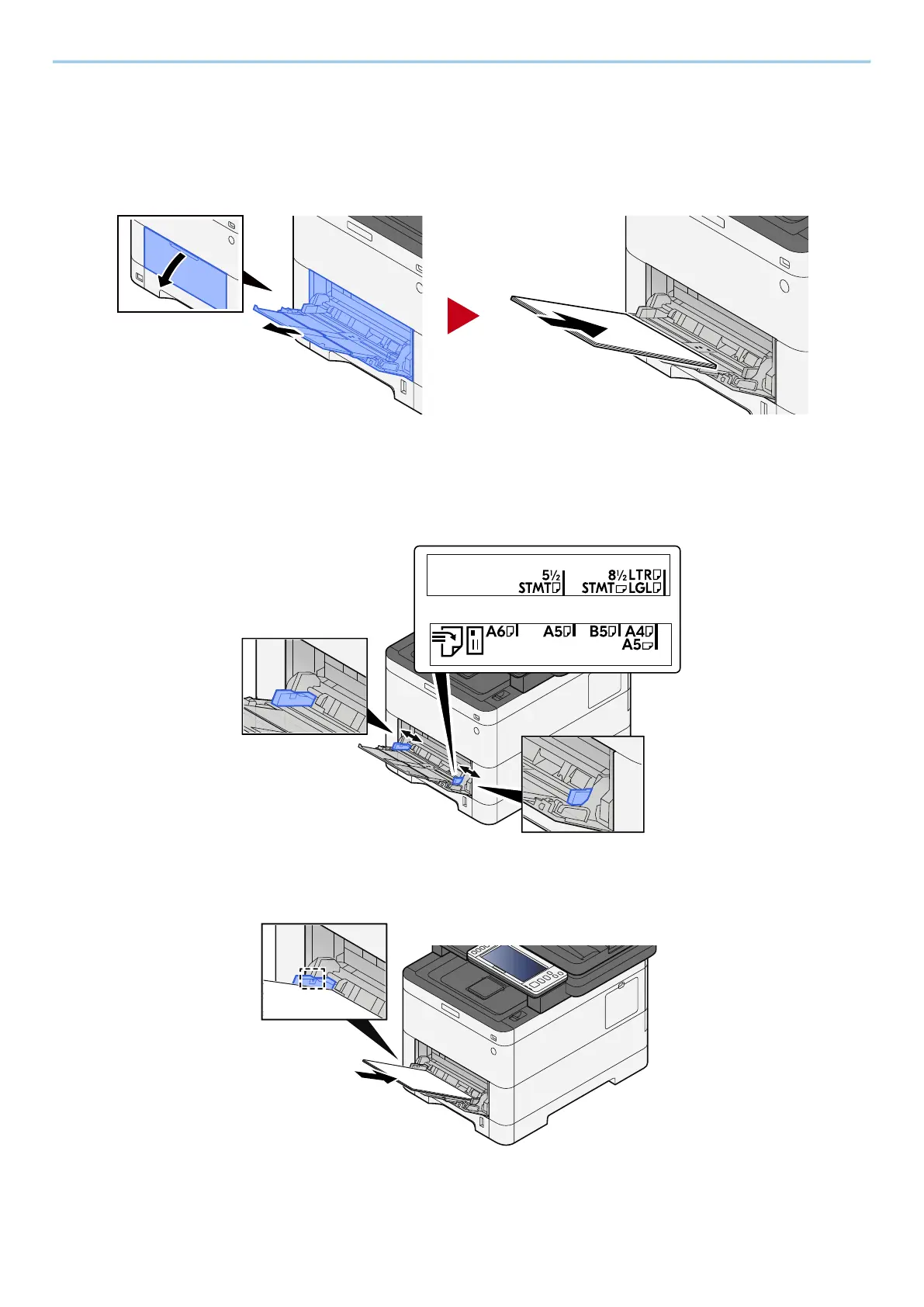
Open the multipurpose tray.
2
Adjust the multipurpose tray size.
Paper sizes are marked on the multipurpose tray.
3
Load paper.
Insert the paper along the paper width guides into the tray until it stops.



 To Next Page
 Loading...