Included Scanner Tools
3-27
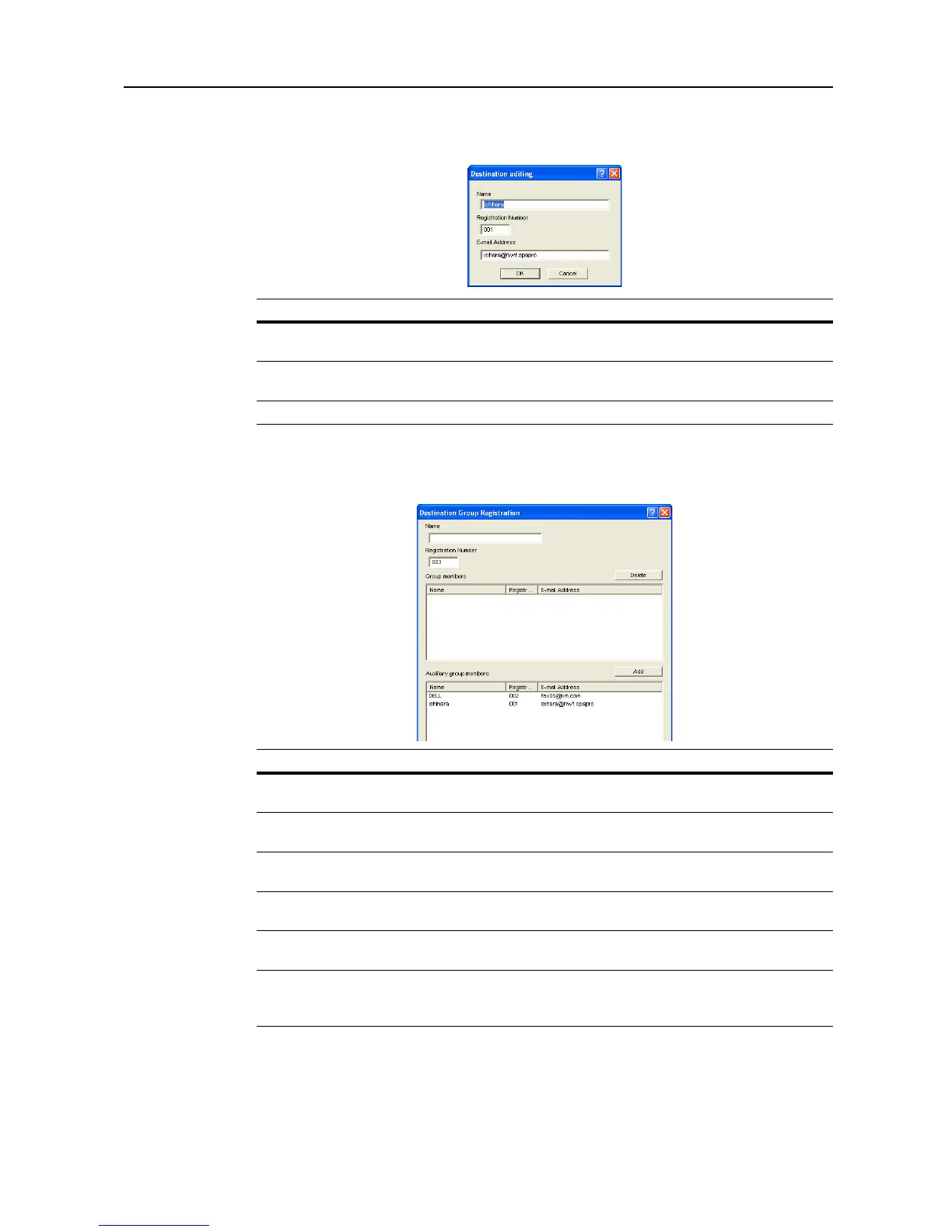
Destination Editing (E-mail)
Display or edit destination e-mail address.
Destination Address Registration/Editing
Display or edit destination e-mail group address.
Item Description
Name Field to enter the Registration Name. Enter a registration name less than 16
characters long.
Registration
Number
Enter the destination data registration number.
E-mail Address Enter the destination e-mail address.
Item Description
Name Field to enter the Registration Name. Enter a registration name less than 16
characters long.
Registration
Number
Enter the destination data registration number.
Group members Displays the names, registration numbers, and E-mail addresses of members
registered to a group.
Delete Button Removes the selected address as a member of a group. The deleted address
is added to the Auxiliary group members.
Auxiliary group
members
Displays the names, registration numbers, and E-mail addresses of members
available to be added to a group.
Add Button Adds the selected address as a Group member. The added address is
removed from the Auxiliary group members. Up to 30 addresses may be
added to Group members.














 To Next Page