Included Scanner Tools
3-33
Address Book for Scanner
About Address Book for Scanner
Address Book for Scanner is a utility to register or delete destination lists for use from the scanner to
send scanned images via e-mail or to PCs.
After installation, Address Book for Scanner starts automatically when the computer is turned on. An
icon is added to the taskbar to indicate running operation.
Installing and Uninstalling
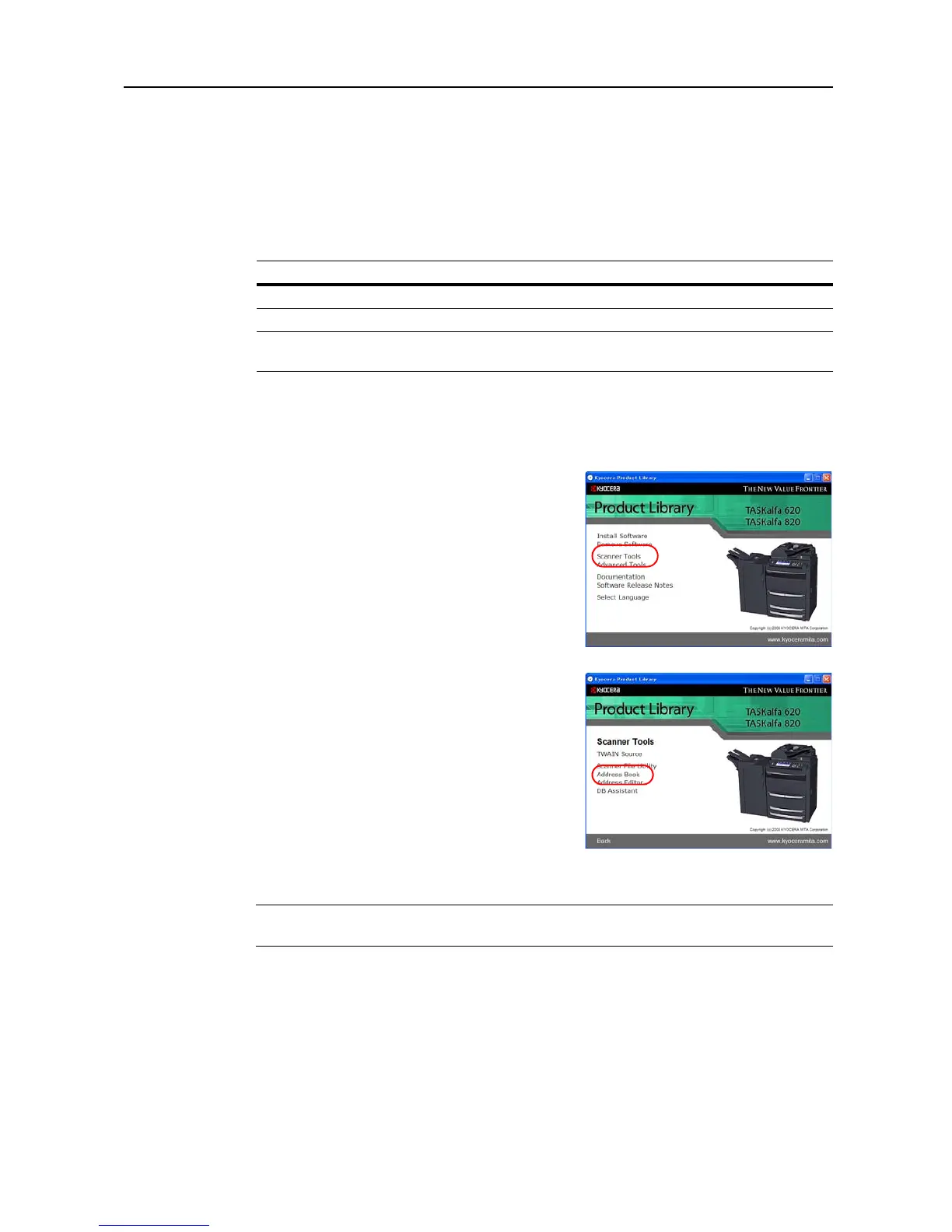
Installing Address Book for Scanner
1
Click Scanner Tools from the Product Library
CD-ROM main menu.
2
Click Address Book.
3
Follow the wizard to complete the installation.
NOTE: Address Book for Scanner is launched when the computer is started and remains running in
the background. An icon is added to the Windows Taskbar to indicate running operation.
Uninstalling Address Book for Scanner
1
Click on the Start in the Task Bar and then select All Programs, Kyocera and Uninstall Product
Library to display the Uninstall Wizard.
Operating Environment
Hardware IBM PC/AT Compatible
Interfaces 10BASE-T/100BASE-TX
Operating System Windows 2000 Service Pack 2 or later, Windows Server 2003,
Windows XP,Windows Vista














 To Next Page