8
2. CONNECTION
2-1 INSTALLING TO THE PANEL
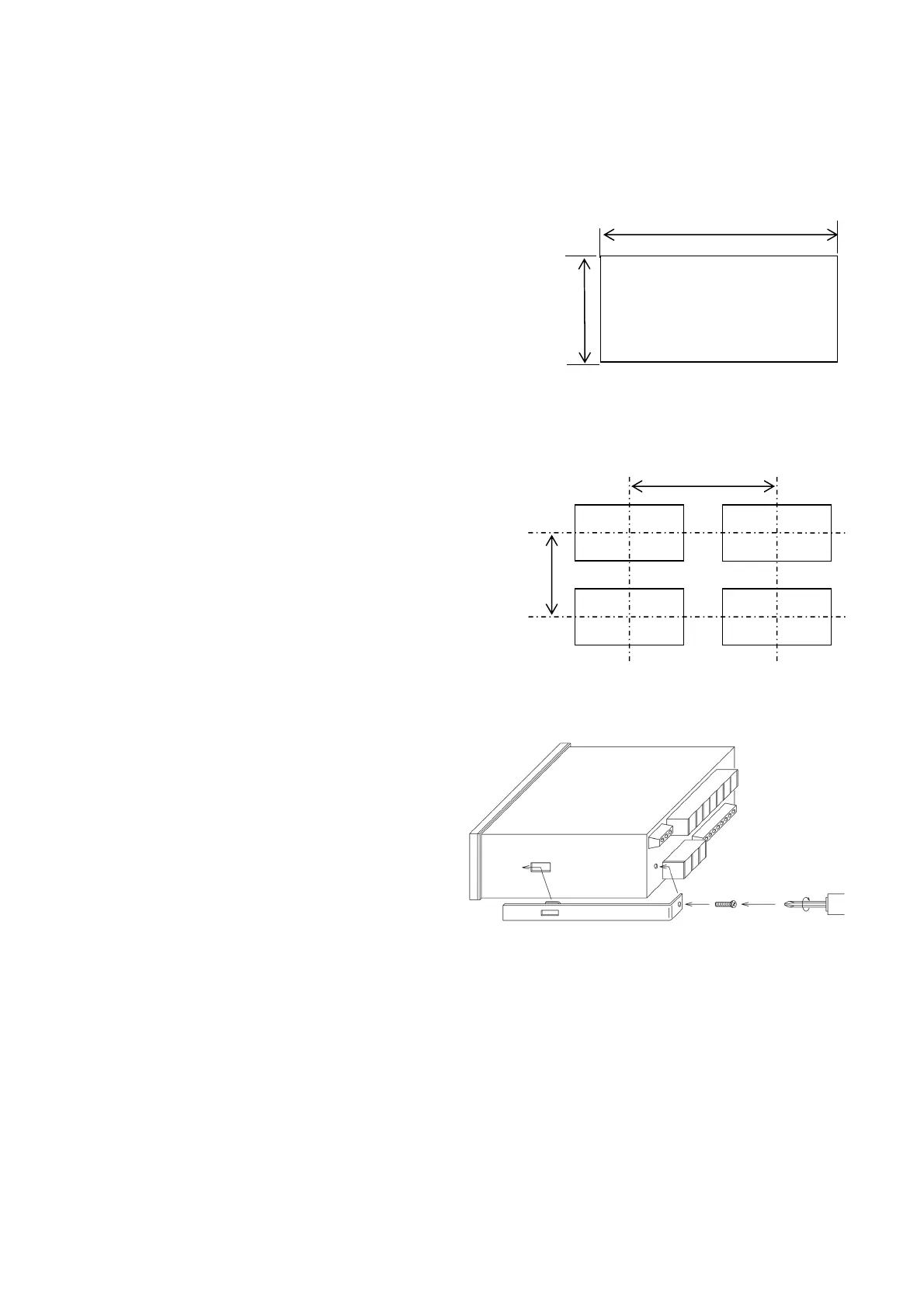
To install the WGI-400A to the panel, prepare a panel
according to the specified panel cut dimensions as shown
at the right. Then, install theWGI-400A by referring to the
following procedures.
1) Cut out the panel by referring to the panel cut dimensions.
2) Remove screws of the fitting metals attached on
both sides of the WGI-400A and then, pull out the
fitting metal.
3) Set the WGI-400A into the panel frame.
4) Set the fitting metals on both sides of the
WGI-400A.
5) Tighten the screws and firmly fix the WGI-400A.
92.2
+0.4
-0
45.2
+0.4
Plate thickness: 0.8 to 5.0 mm
-0
120
70
Panel cut position for mounting multiple WGI-400A units.



 To Next Page