12
3-3 DIGITAL ZERO FUNCTION
Digital Zero function serves to define the reference point of the indicator.
It is as same setting the scale pointer to ‘0.’
There are 2 methods for defining the reference point (Zero); by key operation and by contact input terminal
from the rear panel.
1) Key Operation
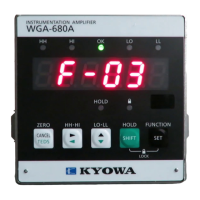
Press the ZERO key in the measuring mode for 2 seconds and the digital Zero function is activated to set the
indication to ‘0.’ If the additional value is set, the determined additional value is displayed.
2) Operation From the Rear Panel
• Short-circuit between rear terminals (INPUT) COM and No. 1 (Zero) to conduct digital Zero function.
This function is available when the [LOCK] LED is ON.
• When external control input terminals are set to OFF, the WGI-400A shall be in measuring state after
conducting the digital Zero function.
• Values adjusted by the above terminals shall be maintained even after the power is cutoff.



 To Next Page