Contents
Safety................................................................................................................................................................ 5
Important safety instructions....................................................................................................................... 5
Symbols................................................................................................................................................... 6
Introduction........................................................................................................................................................ 7
How to use this manual............................................................................................................................ 7
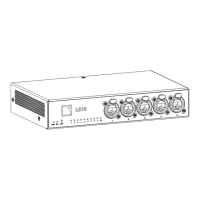
LS10 AVB switch...................................................................................................................................... 8
System components.............................................................................................................................................9
Cables..................................................................................................................................................... 9
Rigging elements.......................................................................................................................................9
Technical description......................................................................................................................................... 10
Main features......................................................................................................................................... 10
Components..................................................................................................................................10
Front and rear panels....................................................................................................................11
Ethernet ports......................................................................................................................................... 11
Power supply..........................................................................................................................................11
Inspection and preventive maintenance...............................................................................................................12
How to do preventive maintenance.......................................................................................................... 12
CHK - External structure...........................................................................................................................12
CHK - External cleanness.........................................................................................................................12
CHK - Network functionalities and rmware.............................................................................................. 13
Installation........................................................................................................................................................14
Mounting................................................................................................................................................14
Ventilation.............................................................................................................................................. 16
General Purpose Output (GPO)................................................................................................................16
24 V DC Input and Output......................................................................................................................17
Network cabling.....................................................................................................................................19
Connection panels.........................................................................................................................19
Cabling examples......................................................................................................................... 20
Connecting to AC mains......................................................................................................................... 22
Electrical specications.................................................................................................................. 22
Power cord...................................................................................................................................22
Plugging to AC mains................................................................................................................... 22
Power consumption........................................................................................................................23
Powering on/off..................................................................................................................................... 23
3


 To Next Page