Operation
Updating the LS10 rmware
The Switch Conguration Tool is the only way to update the rmware of LS10.
The Units that are connected to the switch are unavailable during the rmware update.
Procedure
1. Set the NIC of the computer hosting LA Network Manager to 192.168.1.254 / 255.255.255.0.
2. Connect one LS10 at a time to the computer with an Ethernet cable.
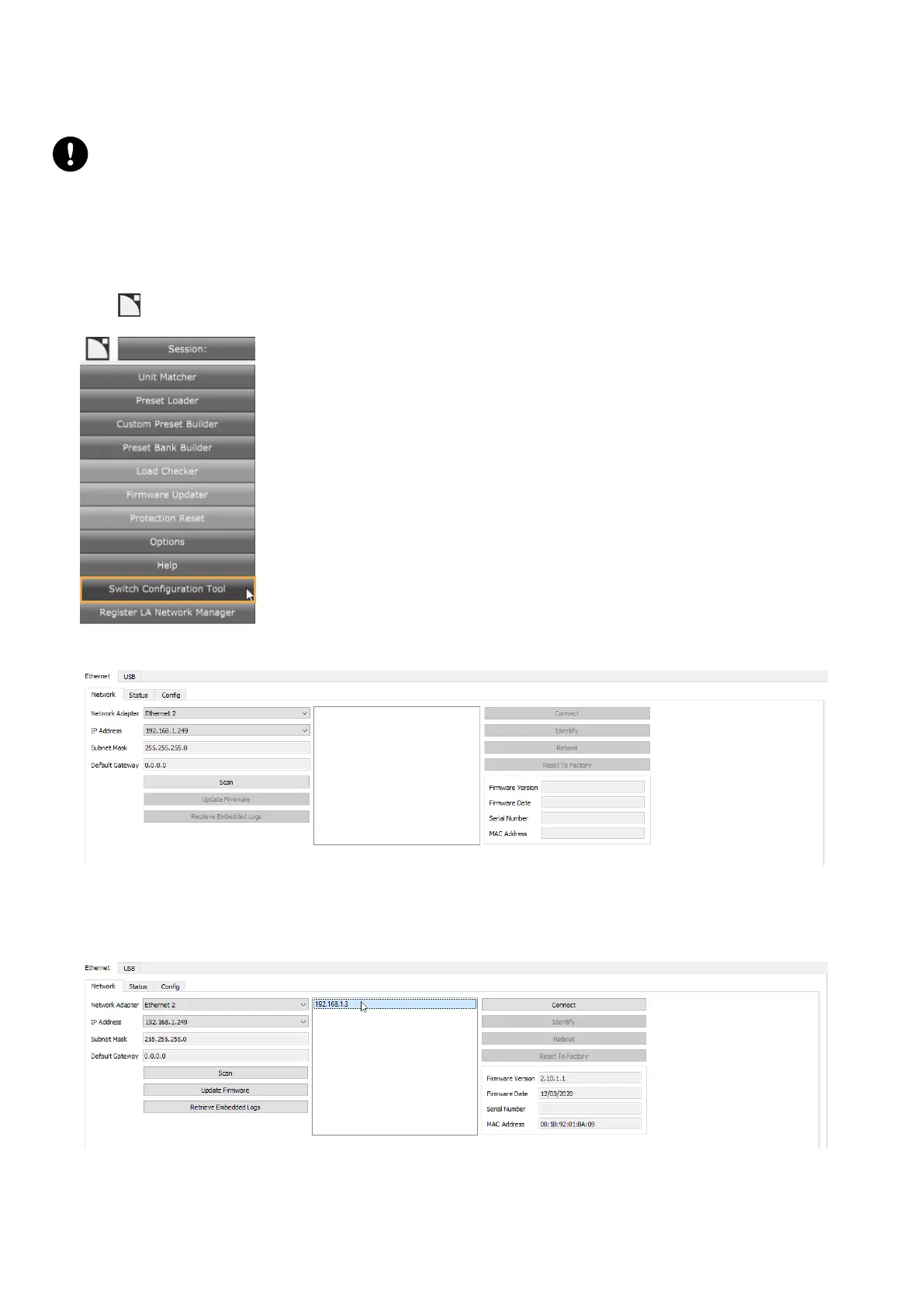
3. Open the application with LA Network Manager.
Click > Switch Conguration Tool.
The application opens on the Ethernet tab.
4. Select a network adapter.
5. Click Scan.
6. Select the switch.
30 LS10 owner's manual (EN) version 1.0


 To Next Page