Operation
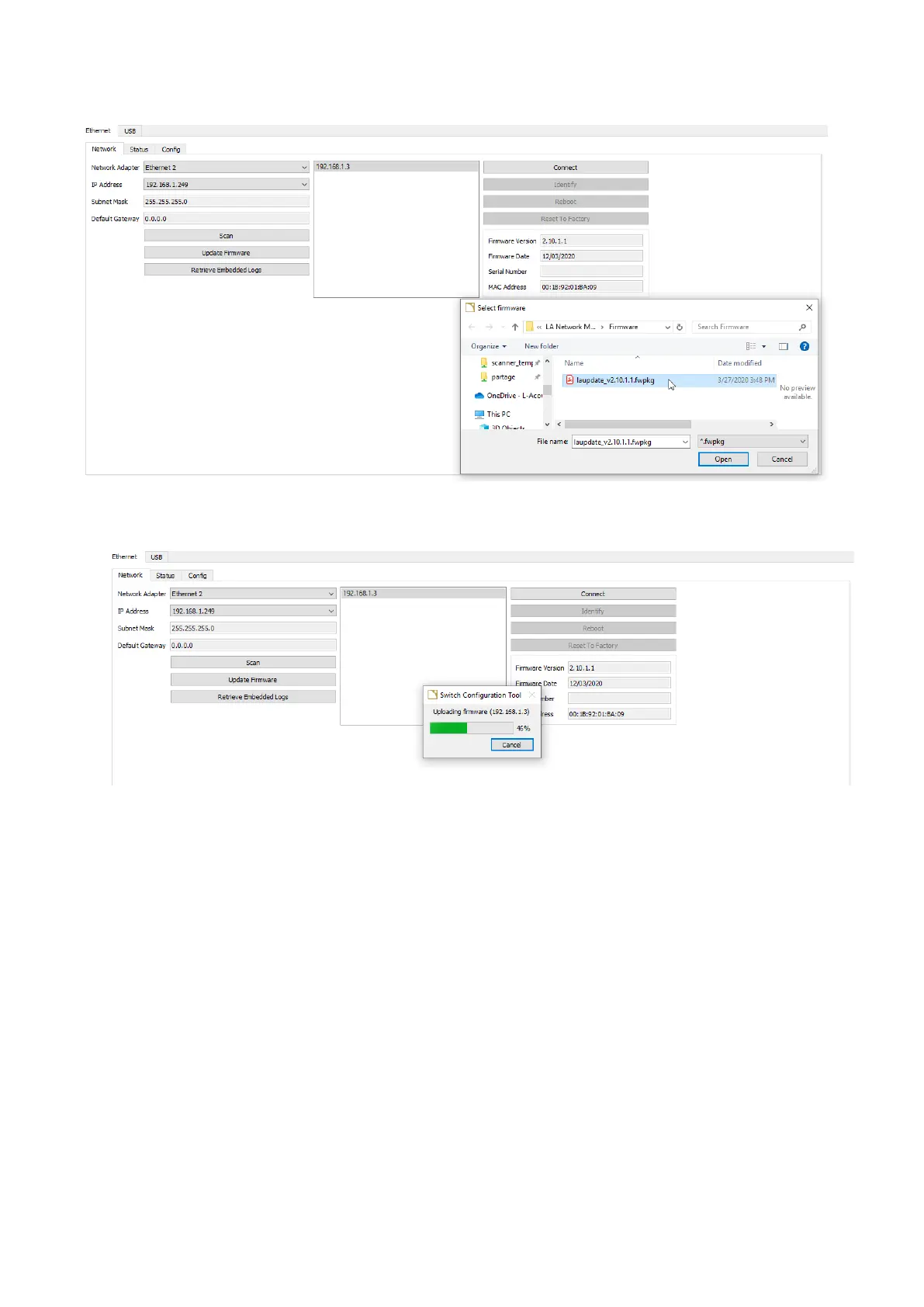
7. Click Update rmware.
The le explorer displays the latest rmware package.
8. Click the package and click Open.
The update takes a few seconds to load.
The LS10 will automatically reboot and install the new rmware.
What to do next
Wait for 20 seconds, then click Scan again to detect LS10. Select the switch to read its rmware version on the right and
verify that the installation succeeded.
LS10 owner's manual (EN) version 1.0 31


 To Next Page