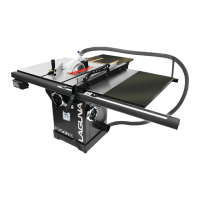
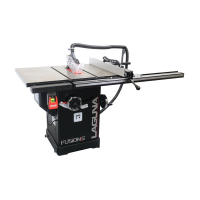
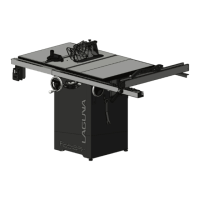
Fusion 3 Table Saw \ Maintenance \
Troubleshooting
Machine will not
start or
continues to trip
the breaker.
1.
Start capacitor at fault.
2.
Motor connection wired wrong.
3.
Wiring at fault.
4.
Motor Start/Stop switch at fault.
5.
Motor at fault.
6.
Run capacitor at fault.
7.
Wall circuit breaker tripped or at fault.
8.
Power supply switched OFF or at fault.
9.
Plug/receptacle at fault or wired incorrectly.
1.
Test/replace if faulty.
2.
Correct motor wiring connections.
3.
Check/fix broken, disconnected, or corroded
wires.
4. Replace
switch.
5.
Test/repair/replace.
6.
Test/replace if faulty.
7.
Ensure circuit size is correct/replace weak
breaker.
8.
Ensure power supply is on/has correct voltage.
9.
Test wires and contacts; correct the wiring.
Machine is
excessively loud
or is
experiencing
excessive
vibration.
1.
Motor or component loose.
2.
Blade at fault.
3.
Motor mount loose/broken.
4.
Machine incorrectly mounted.
5.
Arbor pulley loose.
6.
Belts worn or loose.
7.
Pulley loose or at fault.
8.
Arbor bearings at fault.
1.
Inspect/replace damaged
b
o
l
t
s
/
nu
t
s
,
and re
tighten with thread-locking fluid.
2.
Replace warped/bent blade; re-sharpen dull
blade.
3.
Tighten/replace.
4.
Tighten mounting
bolts; relocate/shim machine.
5.
Re-tighten/replace arbor pulley.
6.
Adjust tension of/replace belt.
7.
Realign/replace shaft, pulley, setscrew, and key.
8a. Replace arbor housing bearings; replace arbor.
8b. Test by rotating shaft; grinding/loose shaft
requires bearing replacement.
Machine trips
the overload, or
feels
underpowered
during operation.
1.
Feed rate/cutting speed too fast.
2.
Workpiece material unsuitable for machine.
3.
Pulley/sprocket slipping on shaft.
4.
Motor bearings at fault.
5.
Contactor (internal breaker) at fault.
6.
Motor overheated.
7.
Workpiece crooked; fence not aligned.
8.
Machine undersized for task; wrong blade.
9.
Run capacitor at fault.
10.
Belt is slipping from pulley.
11.
Motor wired incorrectly.
12.
Plug/receptacle at fault.
13.
Motor at fault.
1.
Decrease feed rate/cutting speed.
2.
Only cut wood; ensure moisture is below 20%.
3.
Test for good contacts/correct wiring.
4.
Replace loose pulley/shaft.
5.
Test/repair/replace.
6.
Test all legs for power/replace if faulty.
7.
Clean motor, let cool, and reduce workload.
8.
Straighten or replace workpiece; adjust fence.
9.
Use correct blade; reduce feed rate or depth of
cut.
10.
Test/repair/replace.
11.
Adjust tension of/replace belt.
12.
Wire motor correctly.
13.
Test/repair/replace.
1.
Inadequate
suction
2.
No
suction
1.
Check Dust Collection Unit and hose fittings.
2.
move motor cover and verify that the internal
hose is fixed to the blade shroud port and the
external 4" port.


 To Next Page