EasyManua.ls Logo

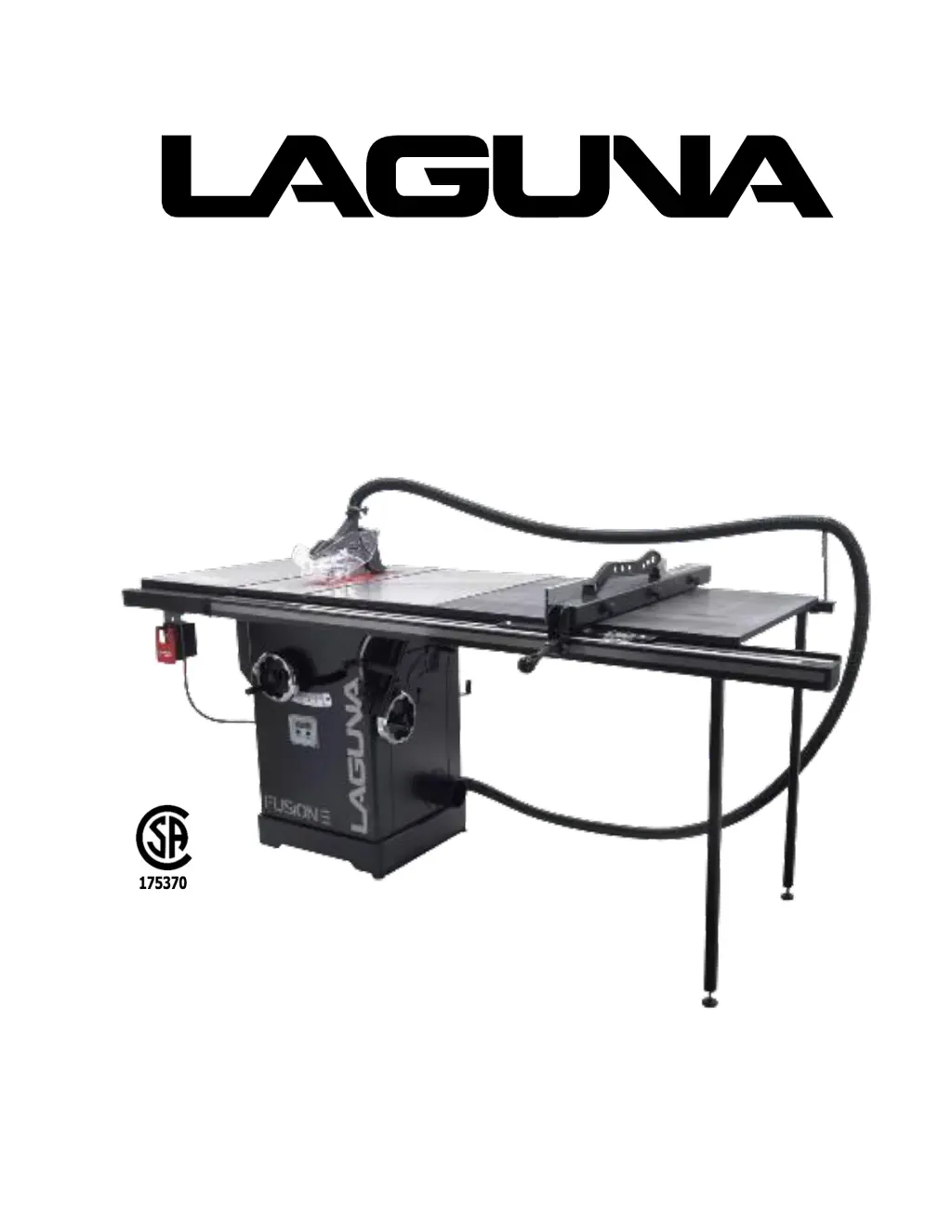
laguna Fusion 3 - User Manual

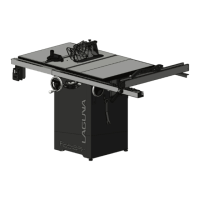
laguna Fusion 3
81 pages
Print Icon
To Next Page IconTo Next Page
Loading...
OWNERS’S MANUAL
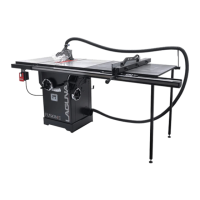
Fusion
3
Table
Saw
36 & 52 Fence
LagunaTools.com

Questions and Answers

  • A
    Ashley RojasAug 6, 2025
    How to reduce excessive noise and vibration in my laguna Fusion 3 Saw?
    • H
      hendersonlanceAug 6, 2025
      Excessive noise or vibration in your Laguna Saw can stem from several issues. Check for loose motor components (inspect/replace damaged bolts/nuts, and re tighten with thread-locking fluid) or a faulty blade (replace warped/bent blade; re-sharpen dull blade). A loose or broken motor mount (tighten/replace), incorrect machine mounting (tighten mounting bolts; relocate/shim machine), or a loose arbor pulley (re-tighten/replace arbor pulley) could also be the cause. Other possible reasons include worn or loose belts (adjust tension of/replace belt), a faulty pulley (realign/replace shaft, pulley, setscrew, and key), or faulty arbor bearings (replace arbor housing bearings; replace arbor. Test by rotating shaft; grinding/loose shaft requires bearing replacement).
  • D
    Daniel CarlsonAug 13, 2025
    What to do if my Laguna Saw has dust collection problems?
    • C
      Carlos SmithAug 13, 2025
      If you are experiencing dust collection issues with your Laguna Saw, check the dust collection unit and hose fittings for inadequate suction. If there is no suction, move the motor cover and verify that the internal hose is fixed to the blade shroud port and the external 4" port.
  • K
    Karen MontesAug 21, 2025
    Why won't my laguna Fusion 3 Saw start or keeps tripping the breaker?
    • J
      Jennifer HartAug 21, 2025
      Your Laguna Saw might not start or could be tripping the breaker due to several reasons. It could be a faulty start capacitor (test/replace if faulty), incorrect motor wiring connections (correct them), a wiring fault (check/fix broken, disconnected, or corroded wires), a faulty motor start/stop switch (replace it), or even a motor issue (test, repair, or replace). Other potential causes include a faulty run capacitor (test/replace if faulty), a tripped or faulty wall circuit breaker (ensure correct circuit size/replace weak breaker), the power supply being switched OFF or at fault (ensure power supply is on/has correct voltage), or a faulty or incorrectly wired plug/receptacle (test wires and contacts; correct the wiring).
  • J
    Julie BenjaminOct 28, 2025
    What to do if my Laguna Saw trips the overload or feels underpowered during operation?
    • S
      Stacy LongOct 28, 2025
      If your Laguna Saw trips the overload or feels underpowered, several factors could be responsible. You might be feeding material too quickly (decrease feed rate/cutting speed) or using unsuitable material (only cut wood; ensure moisture is below 20%). Other potential causes include a pulley/sprocket slipping on the shaft (test for good contacts/correct wiring), faulty motor bearings (replace loose pulley/shaft), a faulty contactor (internal breaker) (test, repair, or replace), or an overheated motor (clean motor, let cool, and reduce workload). The workpiece could be crooked, or the fence might not be aligned (straighten or replace workpiece; adjust fence). Ensure you're using the correct blade and that the machine isn't undersized for the task (use correct blade; reduce feed rate or depth...

Summary

Safety

Important Safety Instructions

General warnings and instructions for safe operation of the table saw.

General Safety Rules

Rules for maintaining a safe work environment and operational practices.

CSA Required Safety Information: Table Saws

Specific safety requirements mandated by CSA standards for table saws.

Guarding Related Warnings

Warnings and instructions regarding the proper use and maintenance of safety guards.

Cutting Procedures Warnings

Warnings related to safe cutting operations, including workpiece feeding and handling.

Kickback Causes and Related Warnings

Information on kickback causes and precautions to prevent it.

Table Saw Operating Procedure Warnings

Warnings related to the correct procedures for operating the table saw.

Electrical Safety

Power Connections

Guidelines for proper electrical connections, circuit requirements, and extension cords.

Grounding Methods

Explains the importance and methods of grounding the machine for electrical safety.

Extension Cords

Recommendations for selecting and using appropriate extension cords for the table saw.

Setup

Setup Overview

A must-read overview of the steps involved in setting up the table saw.

Adjustments

Calibrating and adjusting the Tilt mechanism

Detailed steps for adjusting the blade tilt mechanism to 90° and 45° stops.

BLADE TILT;BEVEL ADJUSTMENT

Describes the controls for adjusting the blade tilt angle.

ALIGNING TABLE PARALLEL TO BLADE

Instructions for ensuring the table is parallel to the saw blade for accurate cuts.

ADJUSTING 90° STOP

Specific procedure for adjusting the 90-degree blade stop.

ADJUSTING 45° STOP

Specific procedure for adjusting the 45-degree blade stop.

Maintenance

DRO POWER CONNECTION TEST;CHECK

Steps to troubleshoot power issues with the DRO (Digital Readout).

Troubleshooting

Warranty

laguna Fusion 3 Specifications

General IconGeneral
Voltage220V
Motor Power3 hp
No-load Speed4300 RPM
Blade Diameter10 inch
Arbor Size5/8 inch
Maximum Depth of Cut at 90 Degrees3-1/8 inch
Blade Size10 inch
Max Cutting Depth at 90°3-1/8 inch
Motor3 HP TEFC

Related product manuals