Fusion 3 Table Saw \ Maintenance \
Adjustments
Calibrating and adjusting the Tilt mechanism
MAINTENANCE & ADJUSTMENTS
ADJUSTING THE 45° & 90° BEVEL STOPS
1. Disconnect the machine from the power source.
2. Raise the blade to its highest position and lift the blade guard.
3. Loosen the bevel lock knob and turn the blade tilting handwheel clockwise until it stops.
4. Verify the angle of the blade with a combination square from the left side of the blade, keep the
square flat against the table and against the flat part of the blade. Do not touch the teeth or the table
insert.
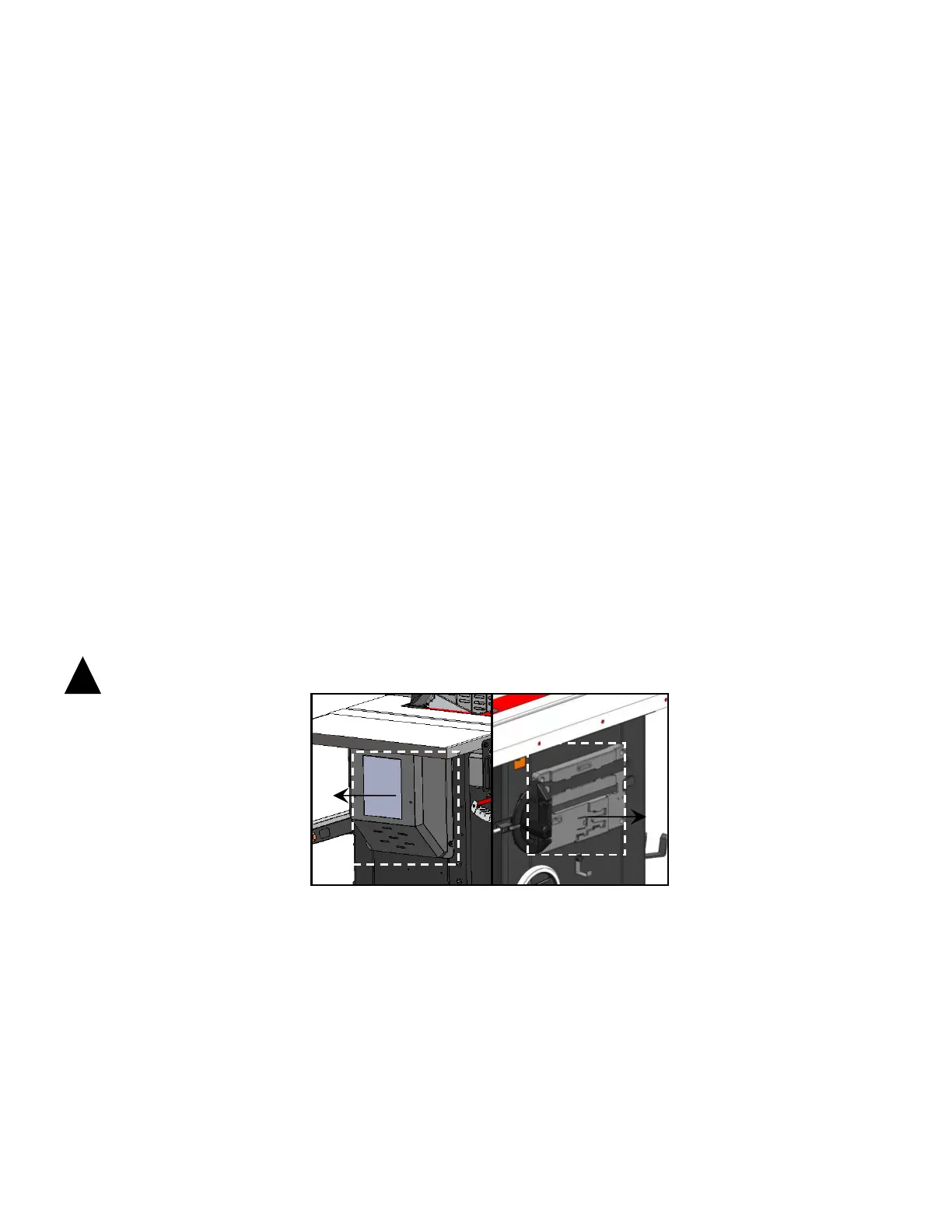
If the blade 90° angle is incorrect, remove the motor cover G Fig. A by Philips screwdriver then loosen
the Hex. Nut C, Fig. B then turn the 90° stop screw D, Fig. B under the table by Hex. wrench. Turn the
hand wheel until the blade is at 90° to the table surface. Then re-tighten the 90° stop screw & Hex. nut
until slight resistance is felt. Do not over tighten stop screw.
Verify the 45° setting by tilting the blade as far as possible to the left and using the square, check the
angle and if needed adjust as for the 90° stop, this time remove the storage box H, Fig. C by Philips
screwdriver then loosen the Hex. Nut E, Fig. C then turn the 45° stop screw F, Fig. C under the table
by Hex. wrench. Turn the hand wheel until the blade is at 45° to the table surface. Then re-tighten the
45° stop screw & Hex. nut until slight resistance is felt. Do not over tighten stop screw.
WARNING: MAKE SURE THE SAW HAS BEEN TURNED OFF AND UNPLUGGED FROM THE POWER SOURCE
BEFORE PERFORMING ANY MAINTENANCE.
Fig. A


 To Next Page