Lake Shore Model 331 Temperature Controller User’s Manual
6.3 COMMAND SUMMARY
This paragraph provides a listing of the IEEE-488 and Serial Interface Commands. A summary of all
the commands is provided in Table 6-8. All the commands are detailed in Paragraph 6.3.1, which is
presented in alphabetical order.
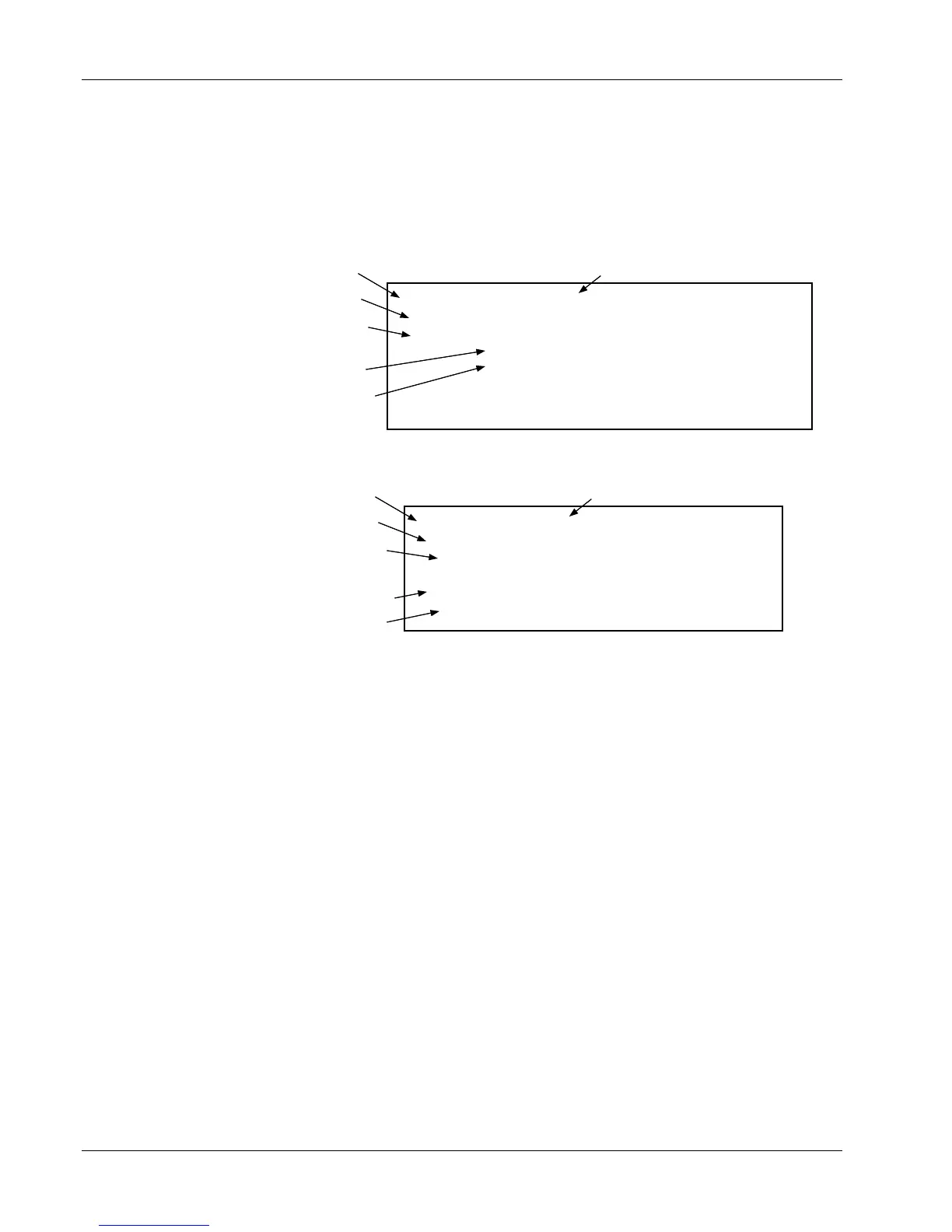
Sample Command Format
Command name Brief description of command
Form of the command input
INCRV
Input:
Input Curve Number Command
INCRV <input>, <curve number>[term]
a,nn
<input>
<curve number>
Syntax of user parameter input
See Key below
Definition of first parameter
Definition of second parameter
Format:
Commands may additionally include Remarks and Examples.
Specify input curve:
0=none, 1-20=std curves,
21-41=user curves.
Specify input: A or B.
Sample Query Format
Query name Brief description of query
Form of the query input
INCRV?
Input:
Input Curve Number Query
INCRV? <input>[term]
a
<input>
Syntax of user parameter input*
See Key below
Specify input: A or B.
Definition of returned parameter
Synta x of returned parameter
Format:
The initial Format definition is omitted for queries that do not require parameter input.
Returned: <curve number>[term]
nn
Format:
Key
Q
Begins common interface command.
? Required to identify queries.
aa… String of alpha numeric characters.
nn… String of number characters that may include a decimal point.
[term] Terminator characters.
<…> Indicated a parameter field, many are command specific.
<state> Parameter field with only On/Off or Enable/Disable states.
<value> Floating point values have varying resolution depending on
the type of command or query issued.
6-22 Remote Operation



 To Next Page