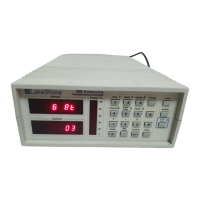
Lake Shore Model 332 Temperature Controller User’s Manual
NTC RTD Sensor Input Setup (continued)
Select for InputA °®
Type NTC RTD
Use the s or t key to cycle through the sensor types shown in Table 4-1, until “NTC RTD” is
displayed. Press the
Enter key.
Select for InputA °®
NTC RTD 75mV 75
Ω
Use the s or t key to cycle through the sensor types shown in Table 4-1, with “75Ω,” “750Ω,”
”7.5kΩ,” “75kΩ,” and “Auto” being the choices. Press the
Enter key. Proceed to Paragraph 4.4.3.1 to
configure thermal EMF compensation or press the
Escape key to return to the normal display.
4.4.3.1 Thermal EMF Compensation
To keep power low and avoid sensor self heating, the sensor excitation is kept low. There are two
major problems that occur when measuring the resulting small DC voltages. The first is external
noise entering the measurement through the sensor leads which is discussed with sensor setup.
The second problem is the presence of thermal EMF voltages, sometimes called thermocouple
voltages, in the lead wiring. Thermal EMF voltages appear whenever there is a temperature
gradient across a piece of voltage lead. Thermal EMF voltages must exist because the sensor is
almost never the same temperature as the instrument. They can be minimized by careful wiring,
making sure the voltage leads are symmetrical in the type of metal used and how they are joined,
and by keeping unnecessary heat sources away from the leads. Even in a well designed system
thermal EMF voltages can be an appreciable part of a low voltage sensor measurement.
The Model 332 can help with a thermal correction algorithm. The instrument will automatically
reverse the polarity of the current source every other reading. The average of the positive and
negative sensor readings will cancel the thermal EMF voltage which is present in the same polarity,
regardless of current direction.
To turn reversal on or off press the Input Setup key and press the Enter key until the following
display appears.
Select for InputA °®
Reversal Off
Platinum and NTC RTD sensors have the additional choice of turning current reversal On or Off,
with the default value being Off. If turned On, the Model 332 will automatically reverse the polarity.
Press the
Enter key. Proceed to Paragraph 4.5.2 to select a temperature curve or press the
Escape key to return to the normal display.
Operation 4-9


 To Next Page