Component Identification 2 - 3
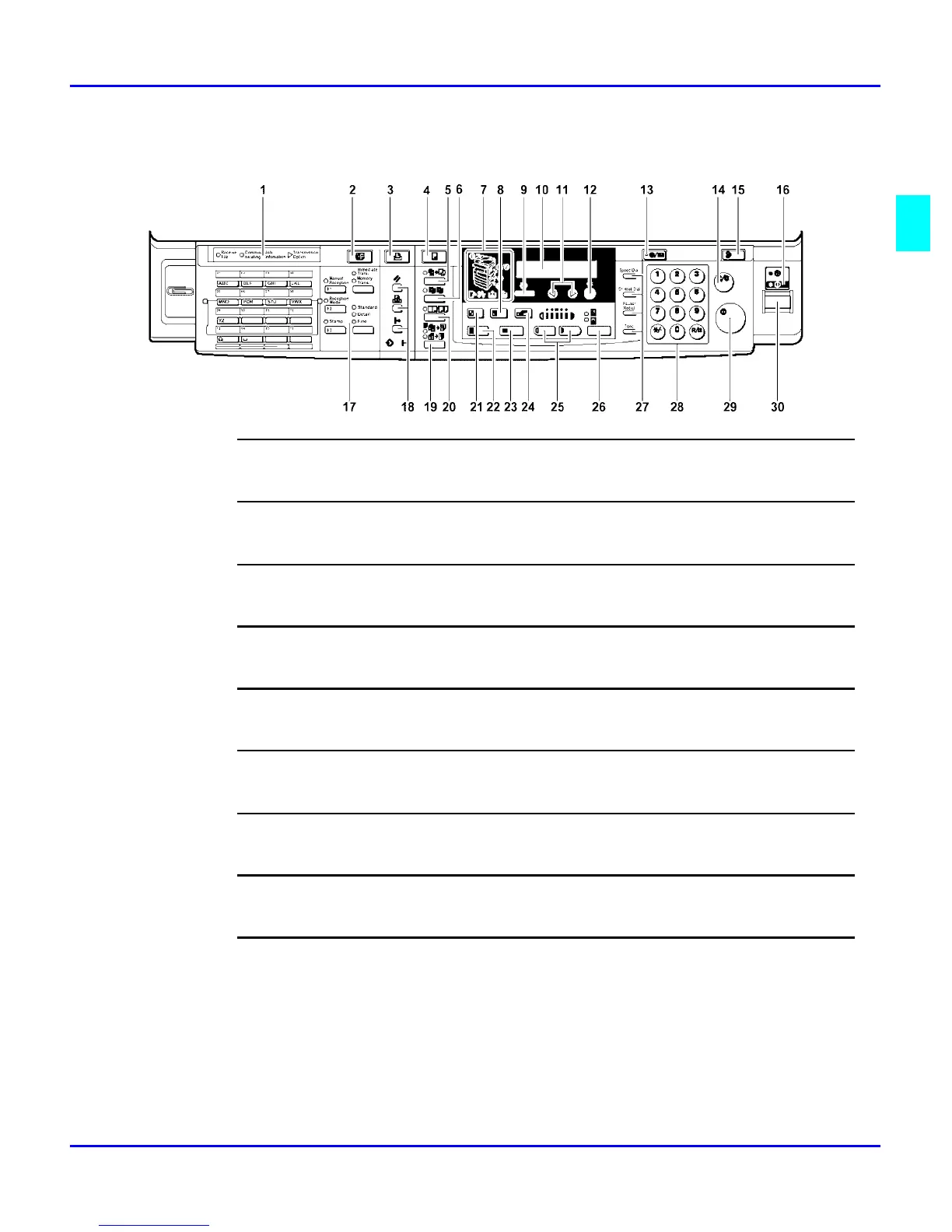
Fax/Printer/Copier Control Panel - continued
22
Full Size Key
For making full size copies.
23
Selected Paper Tray
Press to select the paper tray.
24
Zoom Key
Changes the reproduction ratio in 1% steps.
25
Lighter & Darker Keys
Adjusts the copy image density.
26
Original Type Key
Press to select the type of your originals.
27
Dial Function Keys
See Facsimile Reference for detailed information.
28
Number Keys
Use to enter the desired number of copies and data for selected modes.
29
Start Key
Press to start copying. Also use to initiate Auto Start.
30
Operation Switch
Pressing this switch to turn the power on (the On indicator lights up). To turn the power off, press this switch
again (the On indicator goes off).



 To Next Page