Changing the Toner Cartridge
6 - 6 Service and Supplies
Changing the Toner Cartridge
1
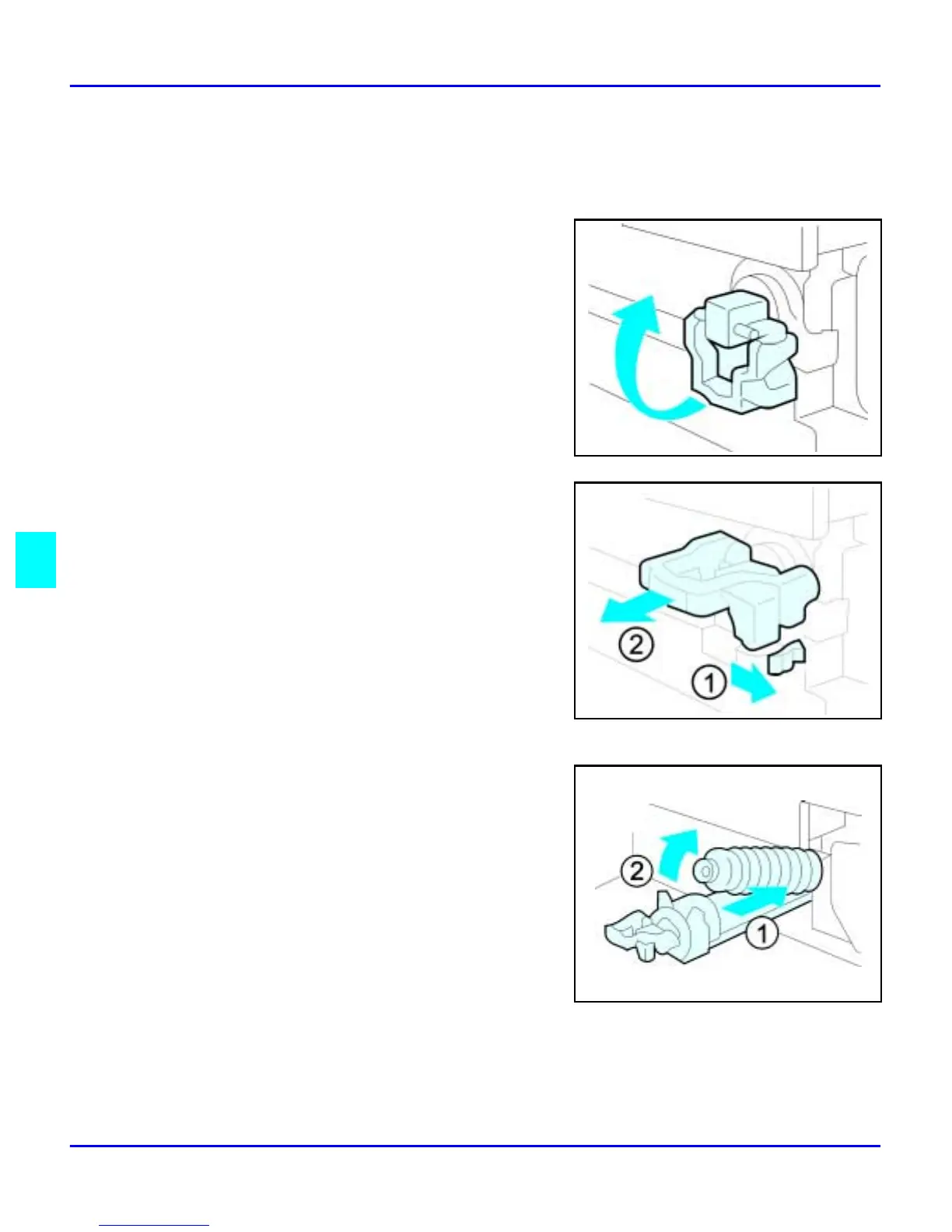
Open the Front Cover.
2
Pull out on the handle on the Toner Bottle
Holder until the Toner Bottle holder is fully
opened.
3
Pull the green lever and gently pull the Toner
Bottle out.
4
Hold a new Toner Bottle horizontally and
shake it five or six times to loosen the toner.
Note: Do Not remove the cap before
shaking the Toner Bottle.



 To Next Page