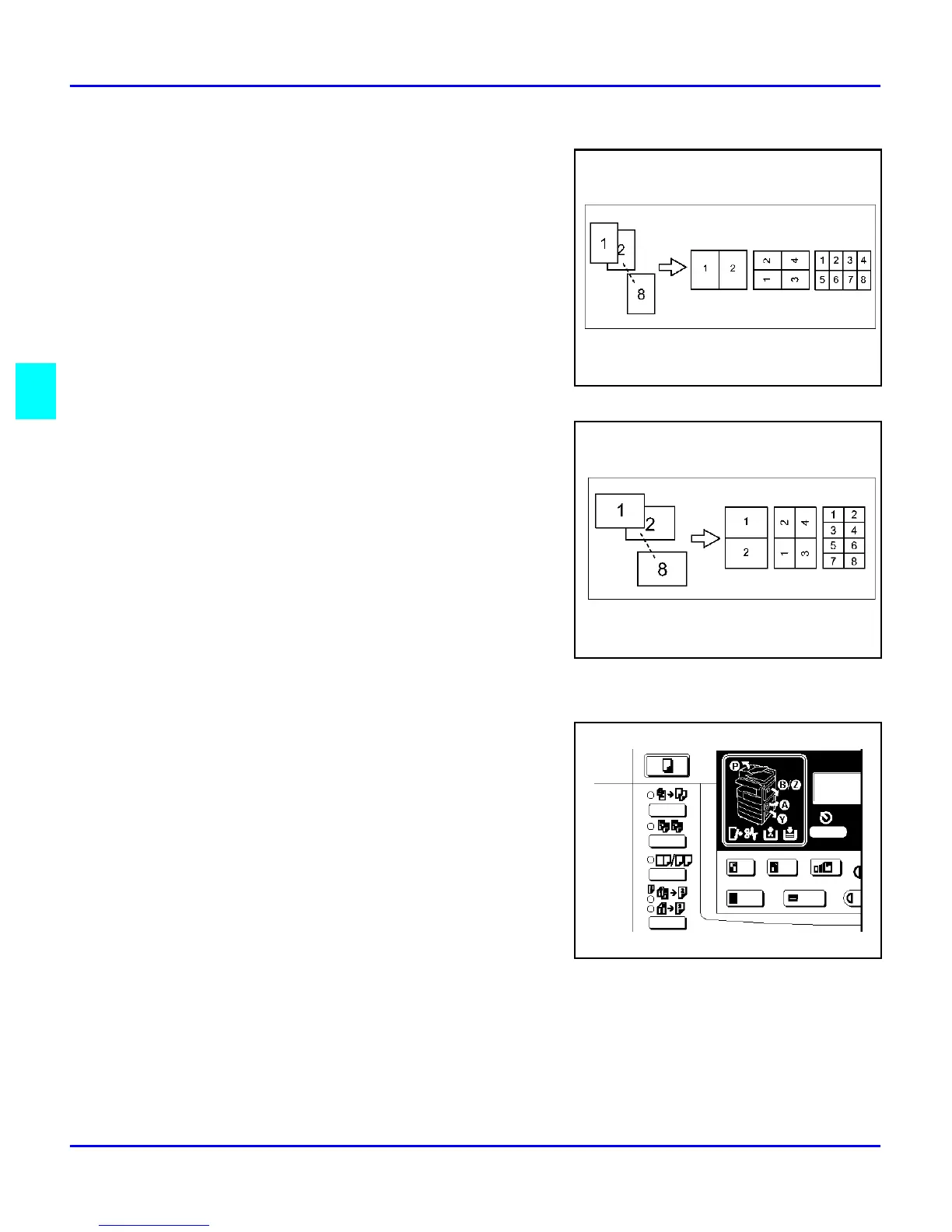
Combine Copying
4 - 8 Copying Methods
Direction of Originals and Layout of Combined Images
Portrait Originals
Landscape Originals
Selecting Combine Copying
1
Press the Combine/ Series key.
2
Make sure that “Combine” is selected, then
press the OK key.
3
Press the Cursor keys until the desired
combine mode is displayed, then press the
OK key.
•
In 4 pages mode or 8 pages mode, you
can specify the orientation of originals
when you have set “Orientation” to “On”
in the Copier Features (“Top to Top” or
“Top to Bottom”).
4
Press the Select Paper Tray key to select the copy paper.
5
Set your originals.



 To Next Page