Component Identification 2 - 7
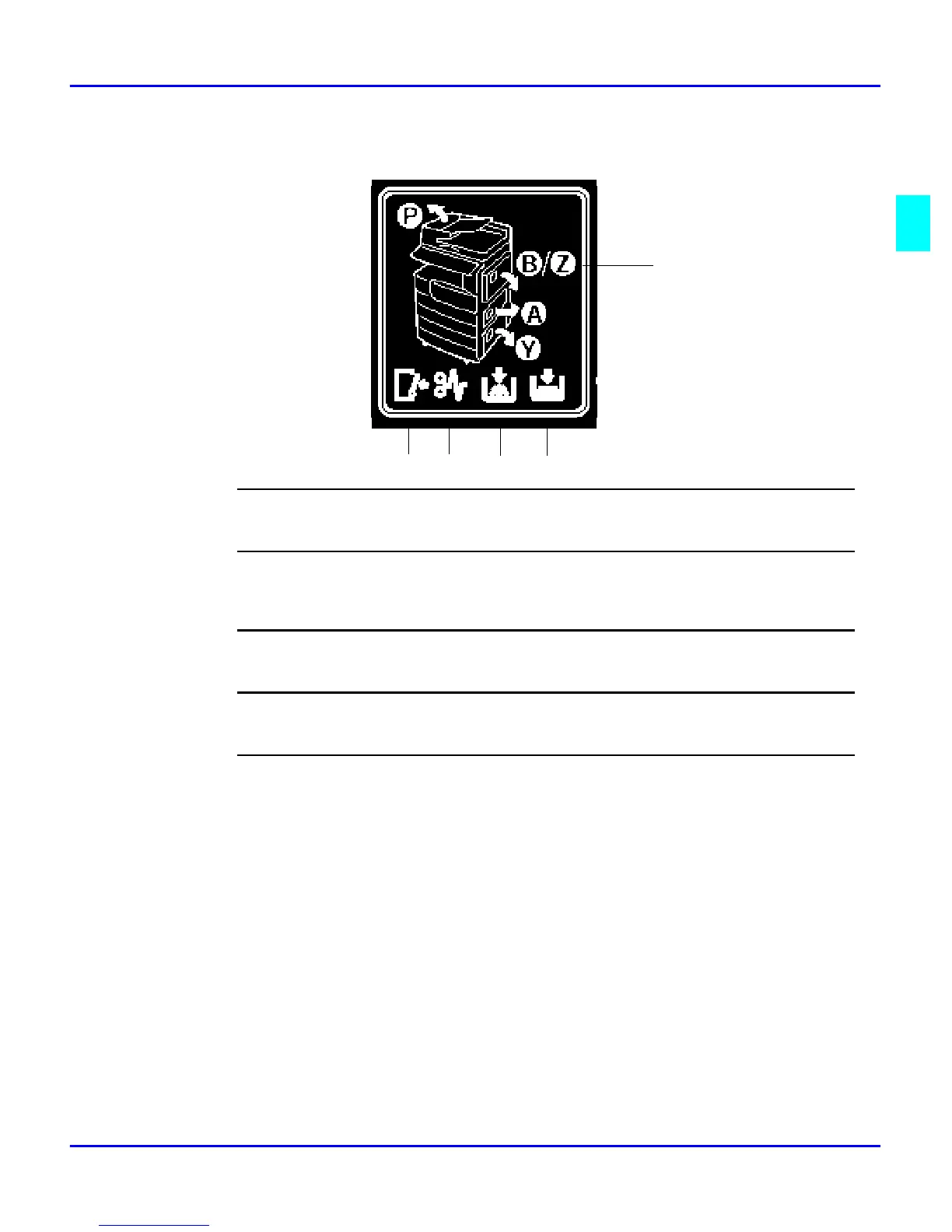
Status Display Indicators
1
Door Open
When this symbol is illuminated, the front door is open.
2
Paper Misfeed
When this symbol is illuminated, there has been a paper misfeed of an original or a copy somewhere in the
machine. (See item 5 for additional information.)
3
Add Toner
When this symbol is illuminated, your unit is low on toner.
4
Paper Tray Empty
When this symbol is illuminated, the selected paper tray is empty.
5
Paper Misfeed Locations
When illuminated, the area of the paper misfeed is indicated.
•
P: RADF area
•
B/Z: Bypass tray area
•
A: Paper tray access door area
•
Y: System stand paper tray access door area
1 2 3 4
5



 To Next Page