Changing Paper Size
6 - 2 Service and Supplies
Changing Paper Size
Changing the Paper Size in the Paper Tray or the System Stand
1
Pull out the paper tray until it stops.
Remove any remaining copy paper.
2
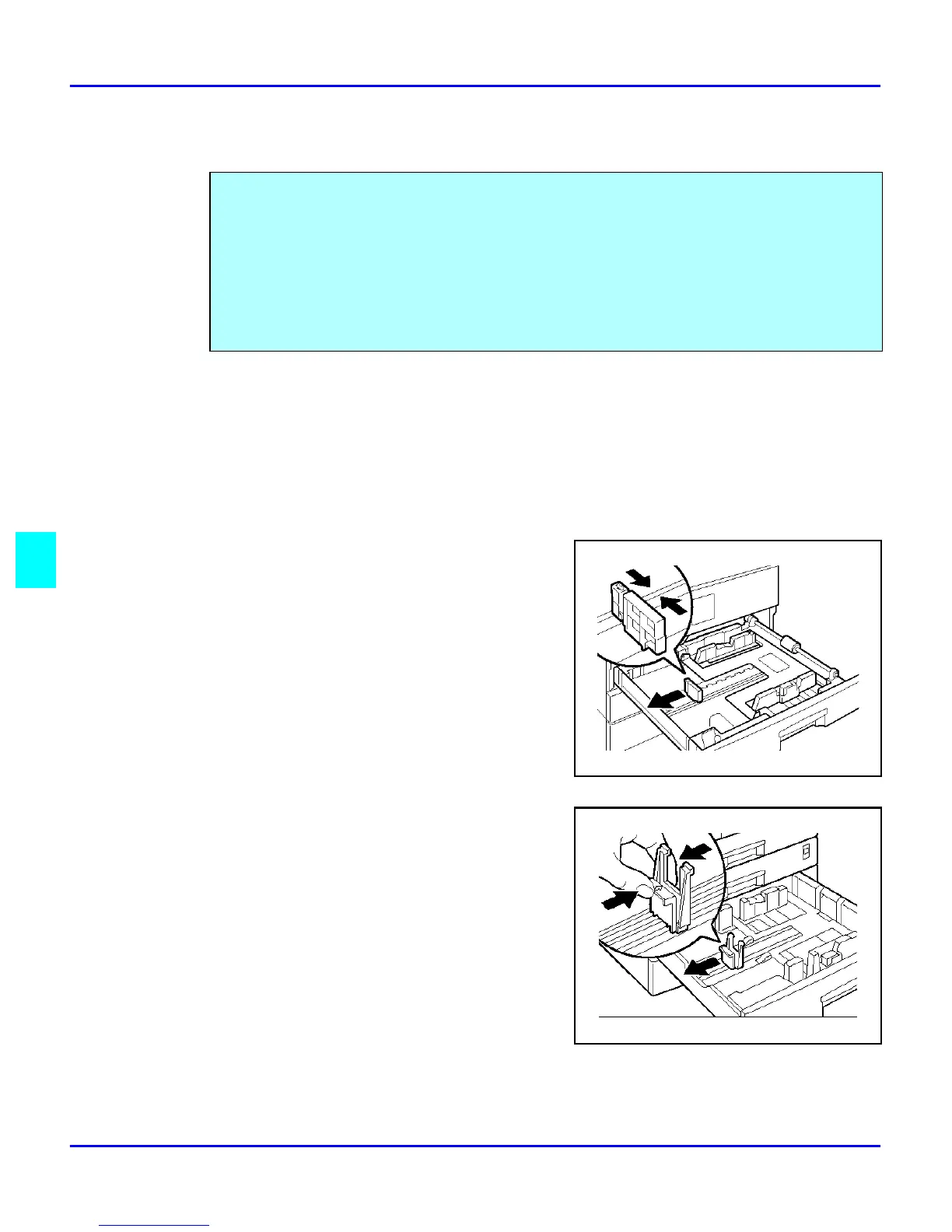
While pressing the release lever, adjust the back paper guide.
•
For Paper Trays 1 and 2
•
For the System Stand
Two procedures for changing the paper size are given below.
•
The first is for changing the paper size in Paper Tray 1 or the optional System Stand.
•
The second is for changing the paper size in Paper Tray 2.
Note: Please check you are following the appropriate procedure before you
start.
Important: Be sure to select the paper size with the user tools. Otherwise, misfeeds might occur.



 To Next Page