Component Identification 2 - 5
Component Locations - Front (continued)
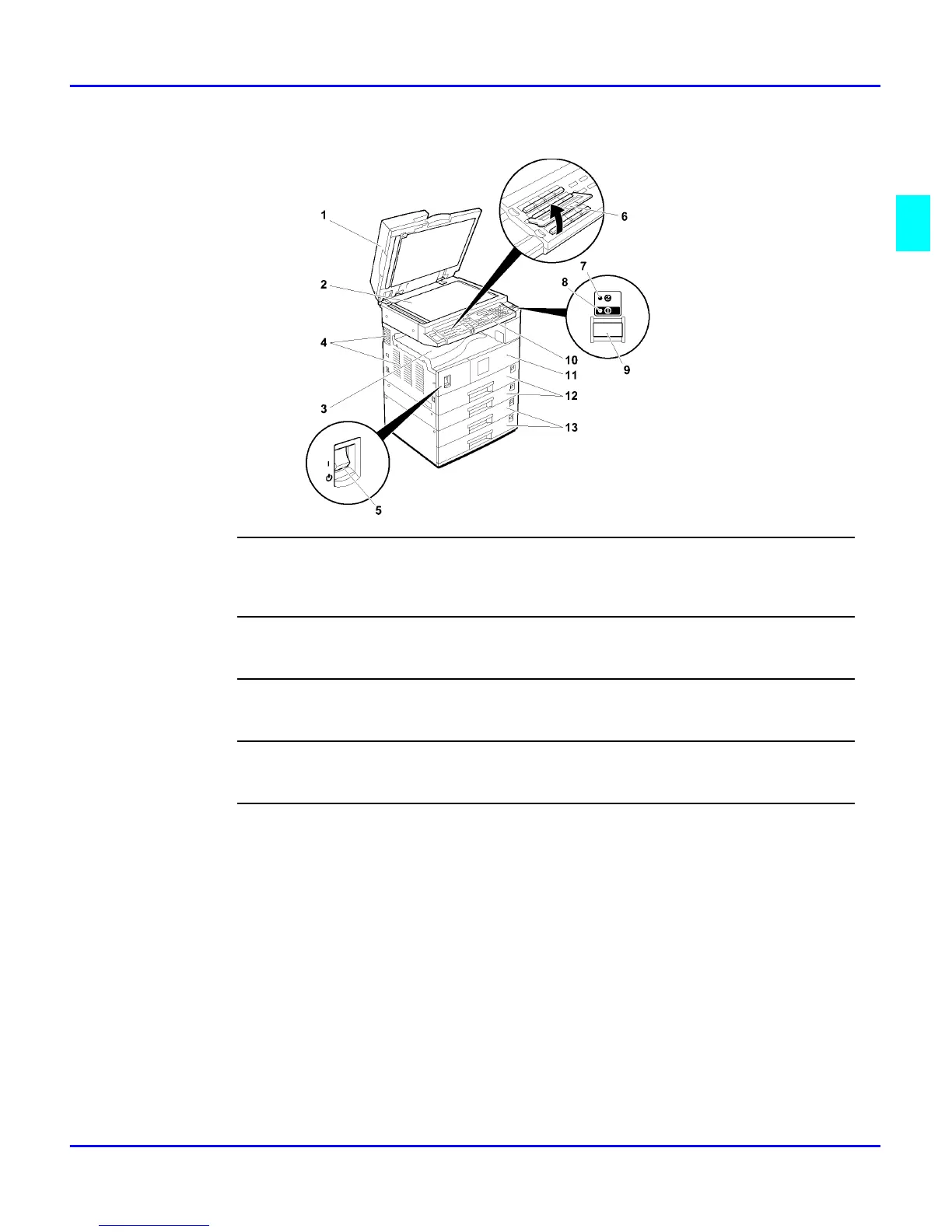
9
Operation Switch (Fax or printer installed machine only)
Press this switch to turn the power on (the On indicator lights up). To turn the power off, press this switch again
(the On indicator goes off).
10
Operation Panel
Interface for operator to set various machine operations.
11
Front Cover
Open to access the inside of the machine.
12
Paper Tray
Set paper here.
13
System Stand (optional)
There are two types of system stands:
•
1 Tray Paper Bank
•
2 Tray Paper Bank



 To Next Page