Changing Paper Size
6 - 4 Service and Supplies
6
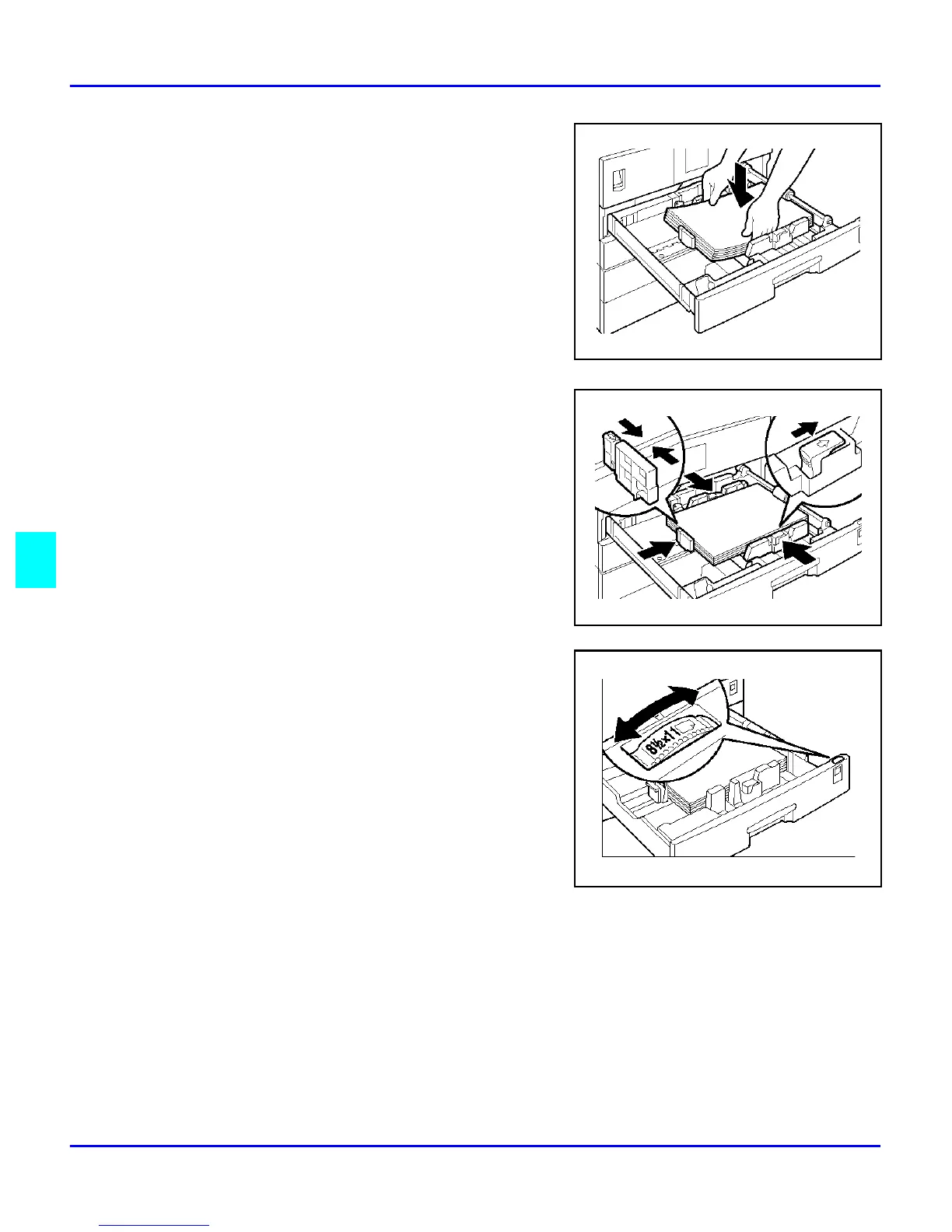
Square the paper and set it in the tray.
7
While pressing the release lever, adjust the
side and back paper guides to the new paper
size.
Note: When setting small quantities of
copy paper, be careful not to squeeze in
the side paper guides too much or paper
will not be fed properly.
8
Press down the lock button.
9
Adjust the tray size with the paper size
selector to the new paper size.
Note: If you cannot find your desired
paper size, select “*”, then set the copy
paper size with the “11 Special Pap.Size”
setting in the System Settings.
10
Push the paper tray in until it stops.



 To Next Page