13: Maintenance
SLC™ 8000 Advanced Console Manager User Guide 305
Audit Log Commands
Go to Audit Log Commands to view CLI commands which correspond to the web page entries
described above.
Email Log
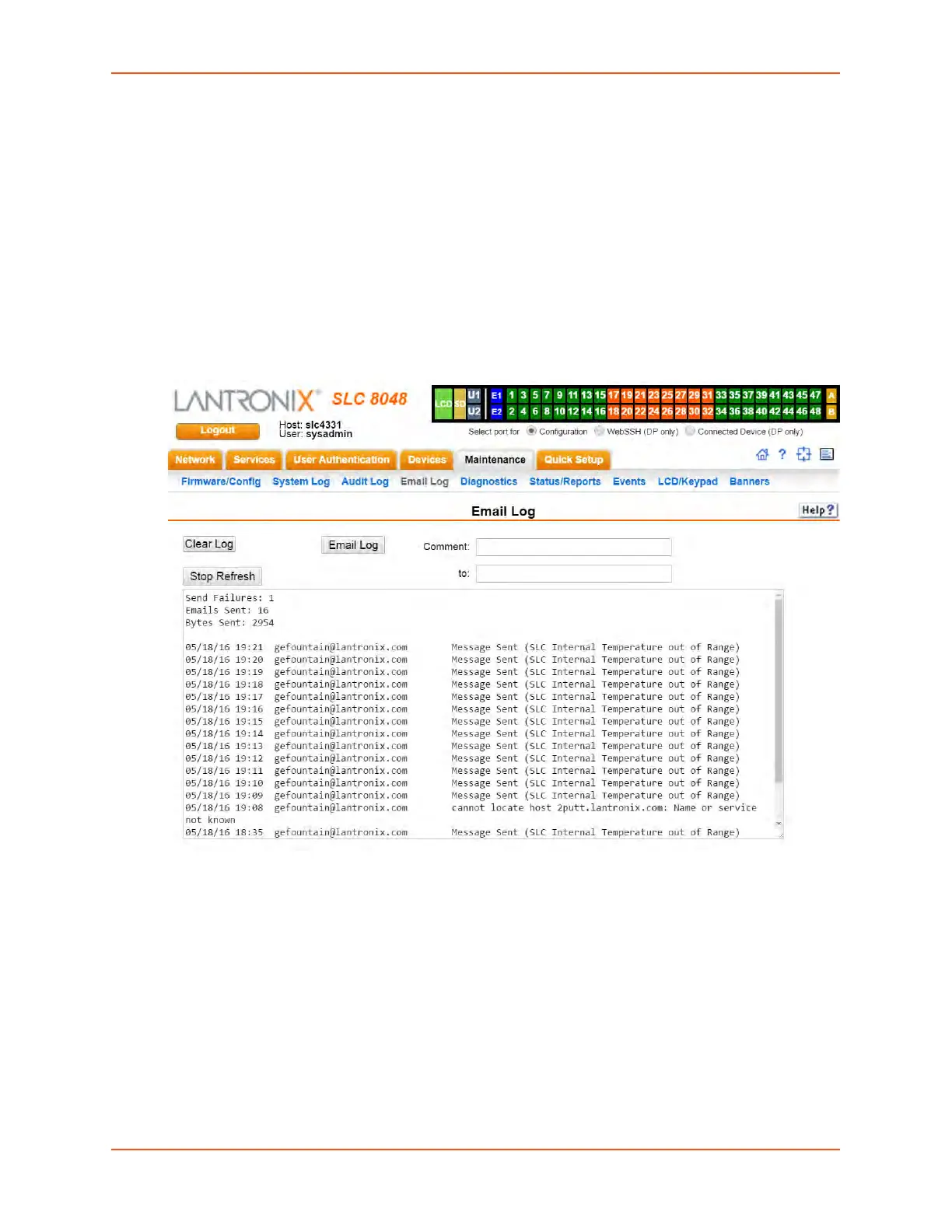
The Maintenance > Email Log page displays a log of all attempted emails. The log file can be
cleared from here. The email log is saved through SLC reboots.
1. Click the Maintenance tab and select the Email Log option. The following page displays:
Figure 13-6 Maintenance > Email Log
2. To email this log, follow the instructions in Emailing Logs and Reports (on page 311).
3. To clear the log, click the Clear Log button.
Logging Commands
Go to Logging Commands, USB Device Commands, USB Storage Commands, and USB Modem
Commands to view CLI commands which correspond to the web page entries described above.


 To Next Page
 Loading...